Use this node from the SDK
Add it in Python with
pipeline.add(name="...").ai_text_to_speech(...). See the SDK reference.Core Functionality
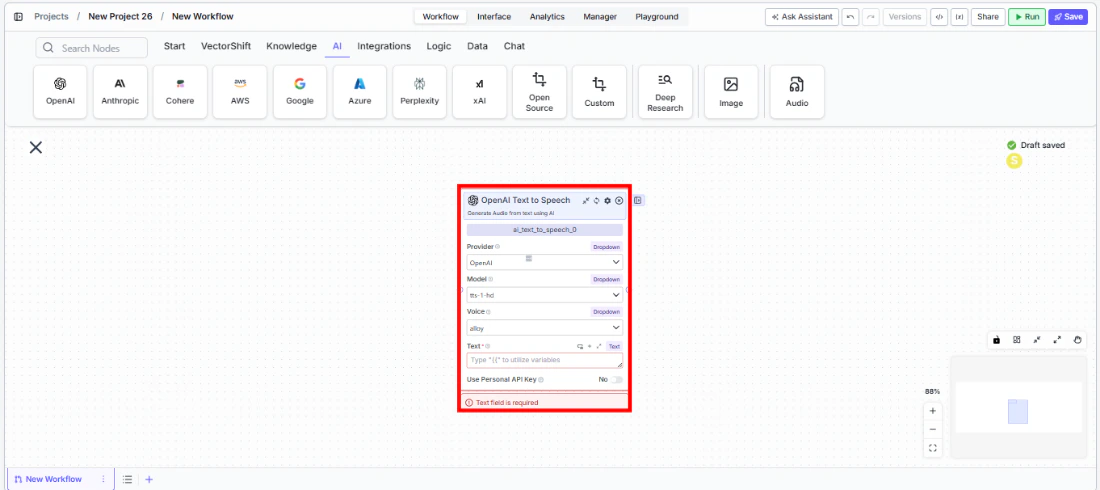
- Convert text to natural-sounding audio using AI voice models
- Support multiple providers including OpenAI and Eleven Labs
- Choose from multiple voice options per model
- Use personal API keys for dedicated access
Tool Inputs
Provider* — (Enum (Dropdown), default:OpenAI) Select the voice provider (OpenAI, Eleven Labs)Model* — (Enum (Dropdown), default:tts-1-hd) Select the text-to-speech modelVoice* — (Enum (Dropdown), default:alloy) Select the voice. Options vary by modelText* — (String) The text to convert to audio. Required — the node will show a validation error if emptyUse Personal API Key— (Boolean, default:No) Toggle to use your own API keyApi Key— (String) Your API key. Only visible whenUse Personal API Keyis enabled
Tool Outputs
audio— (Audio) The generated audio file
- Agents
- Workflows
Overview
The Text to Speech tool in agents allows the AI to convert text into audio during conversations. The agent can generate voice output from any text, enabling voice-based interactions and audio content creation.Use Cases
- Voice-enabled client interactions — Generate spoken responses for phone or voice-based client communication systems.
- Audio report summaries — Convert written financial summaries into audio format for on-the-go consumption.
- Accessibility — Provide audio versions of text content for accessibility needs.
- Narrated presentations — Generate voice narration for presentation slides based on text content.
How It Works
- Add the tool to your agent. In the agent builder, click Add Tool and select Text to Speech from the available tools.
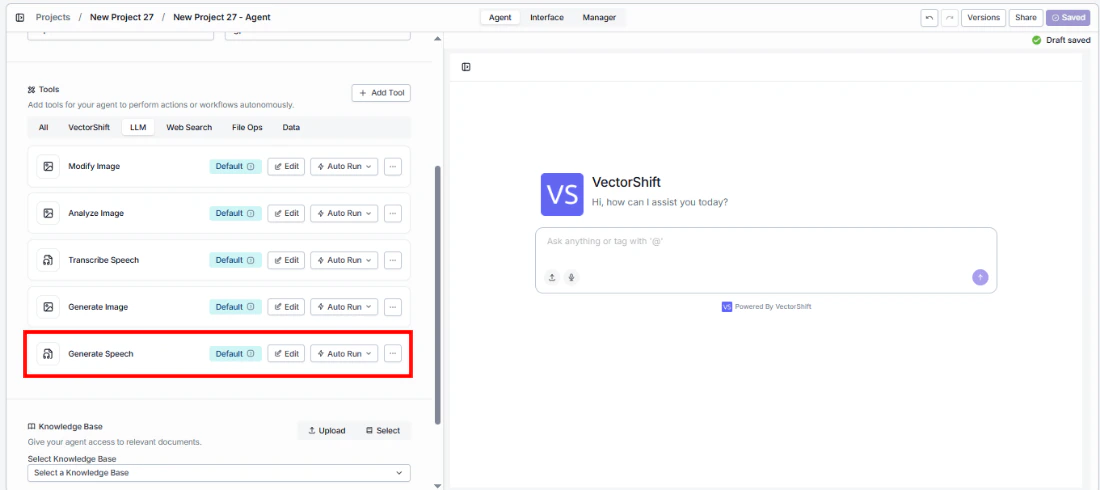
- Configure input fields. Each field can either be filled automatically by the agent based on conversation context, or locked to a fixed value:
Provider— Select the voice provider (e.g., OpenAI)Model— Choose the TTS modelVoice— Select the voiceText— The agent fills this from conversation context
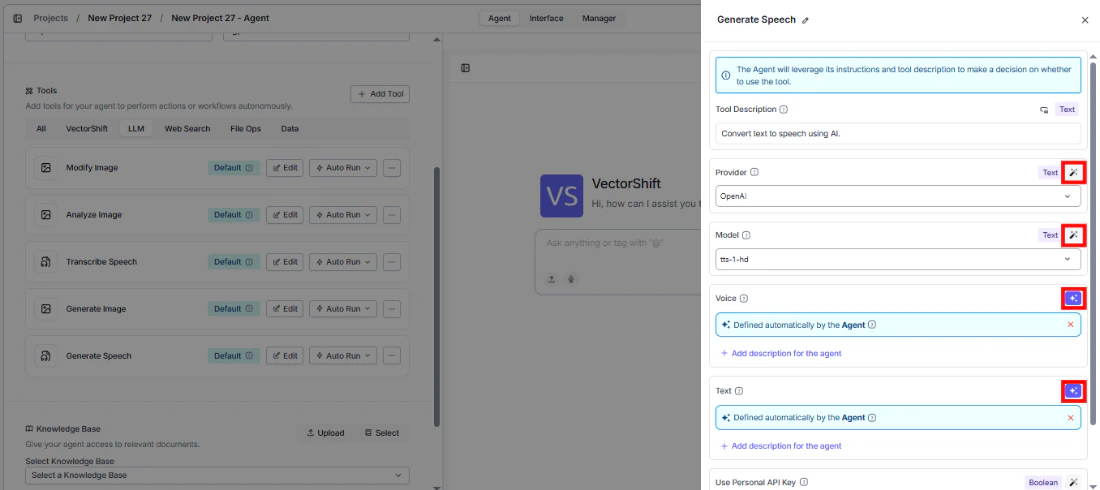
- Write the Tool Description. Describe what the tool does so the agent knows when to use it.
- Set Auto Run behavior. Choose: Auto Run, Require User Approval, or Let Agent Decide.
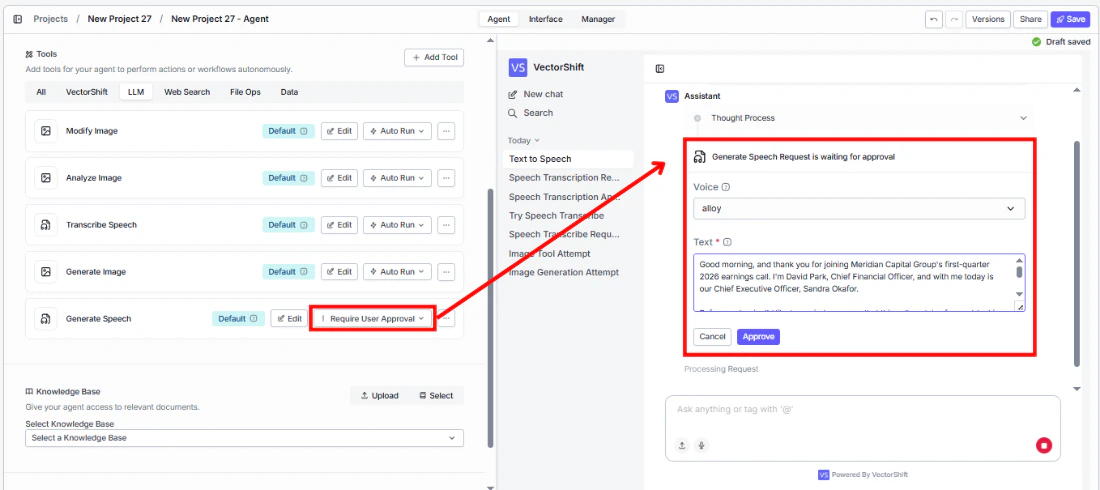
- Test the tool. Ask the agent to read something aloud and verify the audio output.
Settings
Best Practices
- Choose the right voice. Test different voice options to find one that matches your brand or use case.
- Keep text concise. Shorter text inputs produce cleaner audio. Break long content into paragraphs for better results.
- Use Eleven Labs for premium quality. If voice quality is critical (e.g., client-facing audio), consider Eleven Labs.