Use this node from the SDK
Add it in Python with
pipeline.add(name="...").ai_image_to_text(...). See the SDK reference.Core Functionality
- Analyze images and generate text descriptions using vision-capable AI models
- Support multiple providers including OpenAI, Anthropic, Google, and xAI
- Process system instructions and prompts to guide image analysis
- Return structured JSON output with optional schema enforcement
- Stream responses for real-time output
- Track token usage per run
Tool Inputs
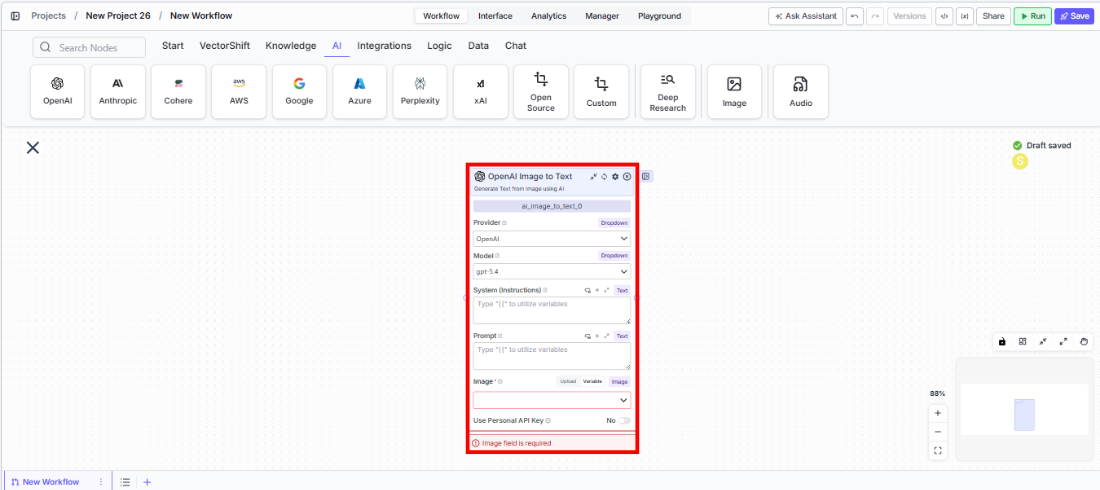
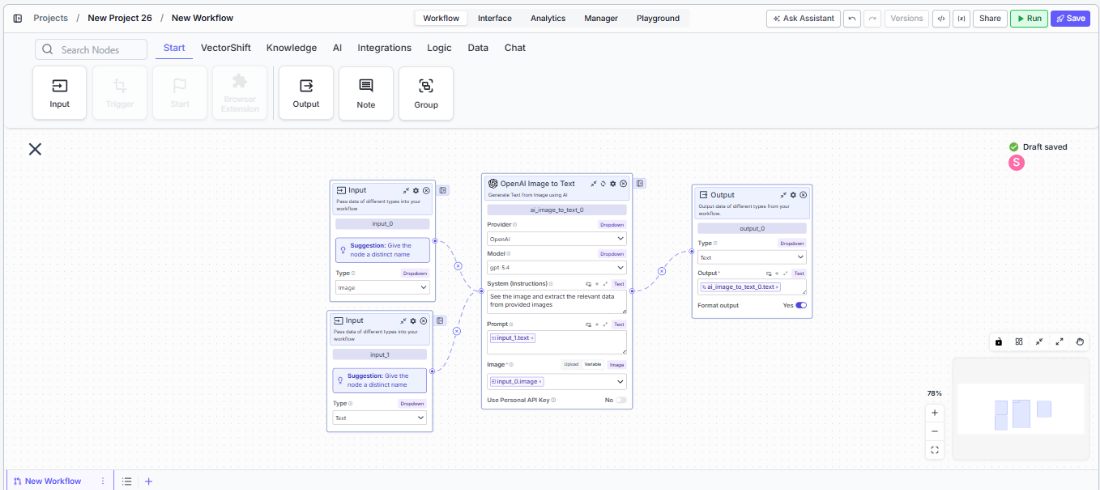
Provider* — (Enum (Dropdown), default:OpenAI) Select the model provider (OpenAI, Anthropic, Google, xAI)Model* — (Enum (Dropdown), default:chatgpt-4o-latest) Select the vision model. Options vary by providerSystem (Instructions)— (String) Instructions guiding how the model should analyze the imagePrompt— (String) Specific instructions for what to analyze in the imageImage* — (Image) The image to analyzeUse Personal API Key— (Boolean, default:No) Toggle to use your own API keyApi Key— (String) Your API key. Only visible whenUse Personal API Keyis enabledJSON Schema— (String) JSON schema for structured output. Only visible whenJSON Responseis enabled
Tool Outputs
text— (String (or Stream<String> when streaming)) The generated text analysis of the imagetokens_used— (Integer) Total number of tokens consumed
- Agents
- Workflows
Overview
The Image to Text tool in agents allows the AI to analyze images shared during conversations. The agent can automatically interpret images based on conversation context or follow specific analysis instructions you configure.Use Cases
- Financial chart interpretation — Users share charts and the agent describes trends, key data points, and anomalies.
- Document scanning — Extract text content from photographed or scanned financial documents.
- Receipt processing — Analyze expense receipts to extract amounts, vendors, and dates.
- Visual compliance checks — Review marketing materials or document images for compliance issues.
How It Works
- Add the tool to your agent. In the agent builder, click Add Tool and select Image to Text from the available tools.
-
Configure input fields. Each field can either be filled automatically by the agent based on conversation context, or locked to a fixed value:
Provider— Select the vision model providerModel— Choose the vision modelSystem (Instructions)— Set analysis instructionsPrompt— The agent fills this based on the user’s requestImage— The agent uses images shared in the conversation
- Write the Tool Description. Describe what the tool does so the agent knows when to use it. For example: “Use this tool to analyze the content of images. Describe what you see in detail.”
- Set Auto Run behavior. Choose: Auto Run, Require User Approval, or Let Agent Decide.
- Test the tool. Share an image with the agent and ask it to analyze the content.
Settings
Best Practices
- Write specific analysis prompts. Instead of “describe this image,” use “extract all numerical data from this financial chart including axis labels, data points, and trends.”
- Choose the right provider for your task. GPT-4o models excel at detailed image analysis; Claude models are strong at document interpretation.
- Use JSON mode for data extraction. When extracting structured data from images, enable JSON Response with a schema.
Related Templates
Document Classification Agent
Automatically categorizes and tags incoming documents based on content and type.
Contract AI Analyst
Analyzes contracts to extract key terms, flag risks, and summarize obligations.
Validation Agent
Validates data and documents against predefined rules, schemas, or compliance standards.
Term Sheet Agent
Generates and reviews term sheets by extracting and validating key deal terms.