
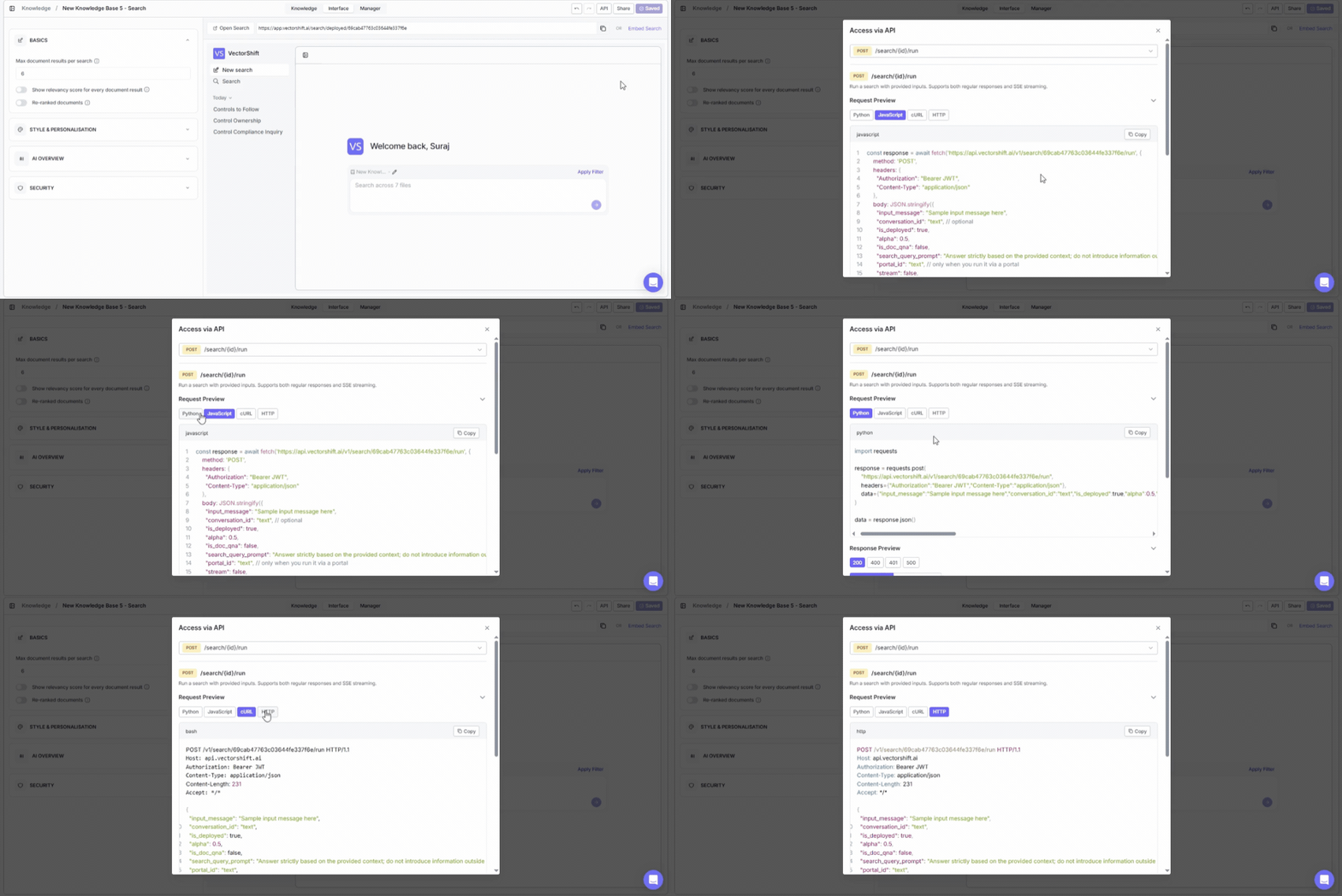
Build search into your own products. The API panel gives you ready-to-use code snippets so you can integrate knowledge base search into any application, backend, or automation — in minutes. To open it, click the API button in the top-right area of the knowledge base detail page (on the Interface tab). Accessing the API panel to get code snippets for integrating knowledge base search
You need to save your search interface before accessing API features. If you see a “Save your search” banner at the top of the dialog, click Save on the Interface tab first.

Endpoint

The API exposes one endpoint: POST /search/{id}/run This runs a search with your provided inputs. It supports both regular responses and SSE (Server-Sent Events) streaming.

Request preview

The dialog provides a code snippet showing exactly how to call the endpoint. View the snippet in four languages by clicking the tabs:
  • Python
  • JavaScript
  • cURL
  • HTTP
Click Copy to copy the snippet to your clipboard.

Key parameters

ParameterWhat it does
input_messageThe search query text (e.g., “Sample input message here”)
conversation_idAn optional identifier for maintaining conversation context across multiple queries (e.g., “text”)
is_deployedSet to true to use the deployed search configuration
alphaA numeric value (e.g., 0.5) that controls the balance between semantic and keyword search when hybrid search is enabled

Authentication

All API requests require a Bearer JWT token in the Authorization header. The code snippet includes a placeholder showing where to insert your token.

Full API reference

Knowledge Base API Reference

Create, fetch, list, query, index, and delete knowledge bases and documents.