Node Inputs
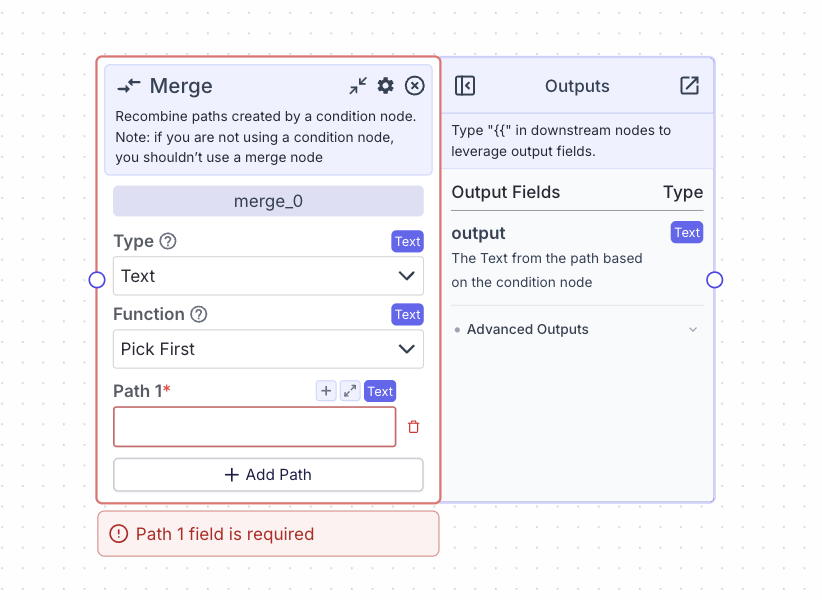
- Function: The strategy for merging multiple inputs
- Type:
Dropdown - Options:
- Pick First: Takes the first (by time) valid input from connected paths
- Join All: Combines all inputs into a list
- Type:
- Paths: The different input paths to be merged.
- Type:
List<T>, whereTis the type selected in the Type dropdown - Each field represents a potential incoming path
- You can dynamically add or remove input paths using the “Add Path” button
- Type:
Node Parameters
- Type: The data type for inputs and outputs
- Type:
Dropdown - Available options correspond to standard data types (Text, Number, etc.)
- Type:
Node Outputs
If Function is “Pick First”- Output: The merged result
- Type:
T - Example usage:
{{merge_0.output}}
- Type:
- Output: The merged result
- Type:
List<T> - Example usage:
{{merge_0.output}}
- Type:
Considerations
- The merge node is typically used in conjunction with the condition node to combine different execution paths.
- When using “Pick First”, the output will be a single value of the selected type as it’ll pick the first available incoming value.
- When using “Join All”, the output will be a list of values of the selected type as it’ll join all incoming values.
- All input paths must match the selected type in the Type dropdown.
- Empty or skipped paths are handled gracefully by the node.
Example: Written
The below example shows a pipeline that processes customer data differently based on their status using a condition node, then merges the results:- Condition node checks customer status:
- Path 0: VIP customer processing
- Path 1: New customer processing
- Path else: Regular customer processing
- Merge node combines the processing results:
- Type:
Text - Function: Join All
- Fields:
- Path 1:
{{vip_processing.output}} - Path 2:
{{new_customer_processing.output}} - Path else:
{{regular_customer_processing.output}}
- Path 1:
- Type:
Example: Visual
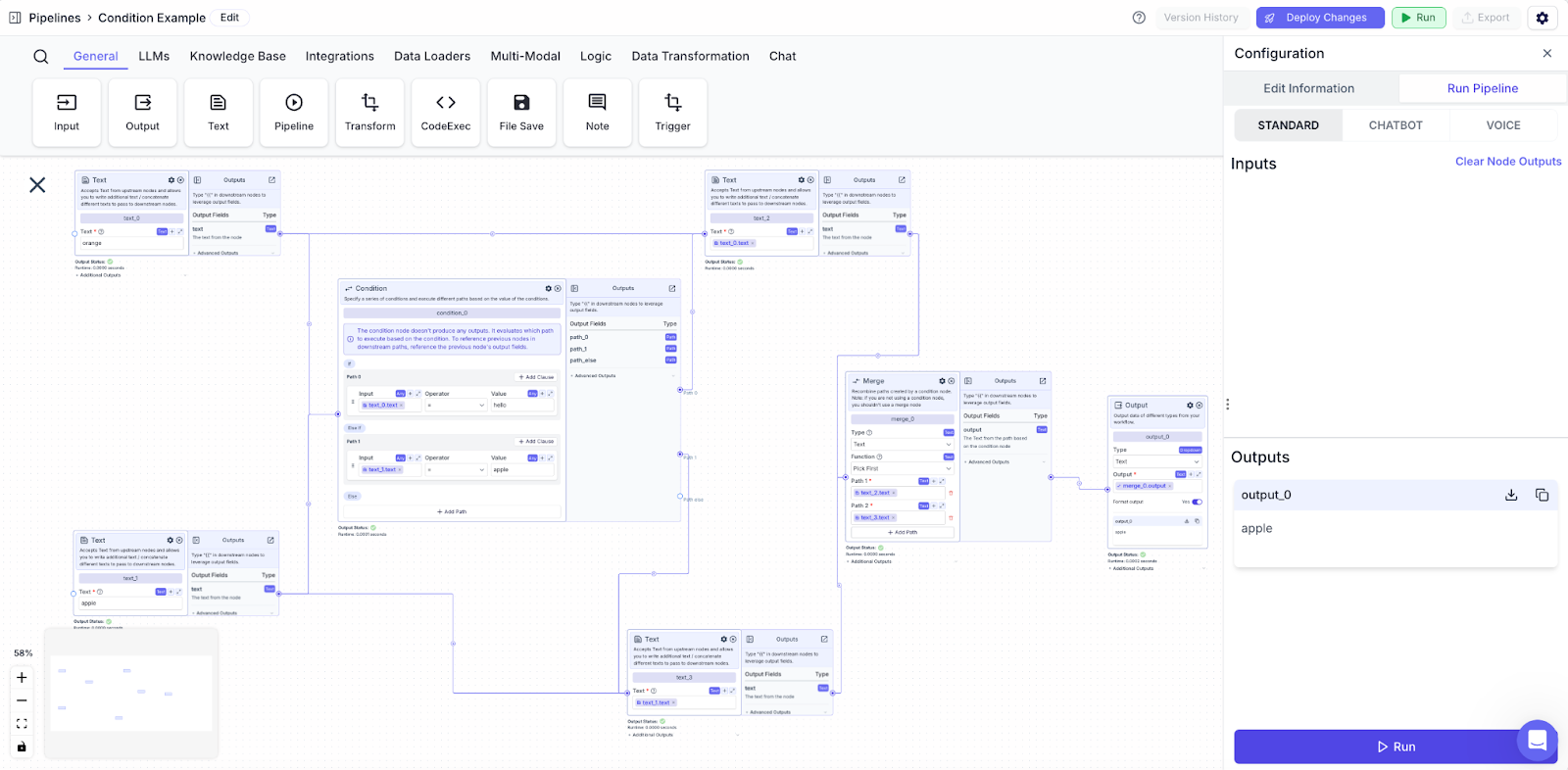
In the below example, we have a condition node with two paths.- If
text_0 = hello, then path 0 will execute (which is false;text_0 = orange) - If
text_1 = apple, then path 1 will execute (which is true) - Path 1 executes, and we merge both paths together before displaying the output. Path 1 is a text node that prints out
text_1(“apple”). Hence, the output is apple.