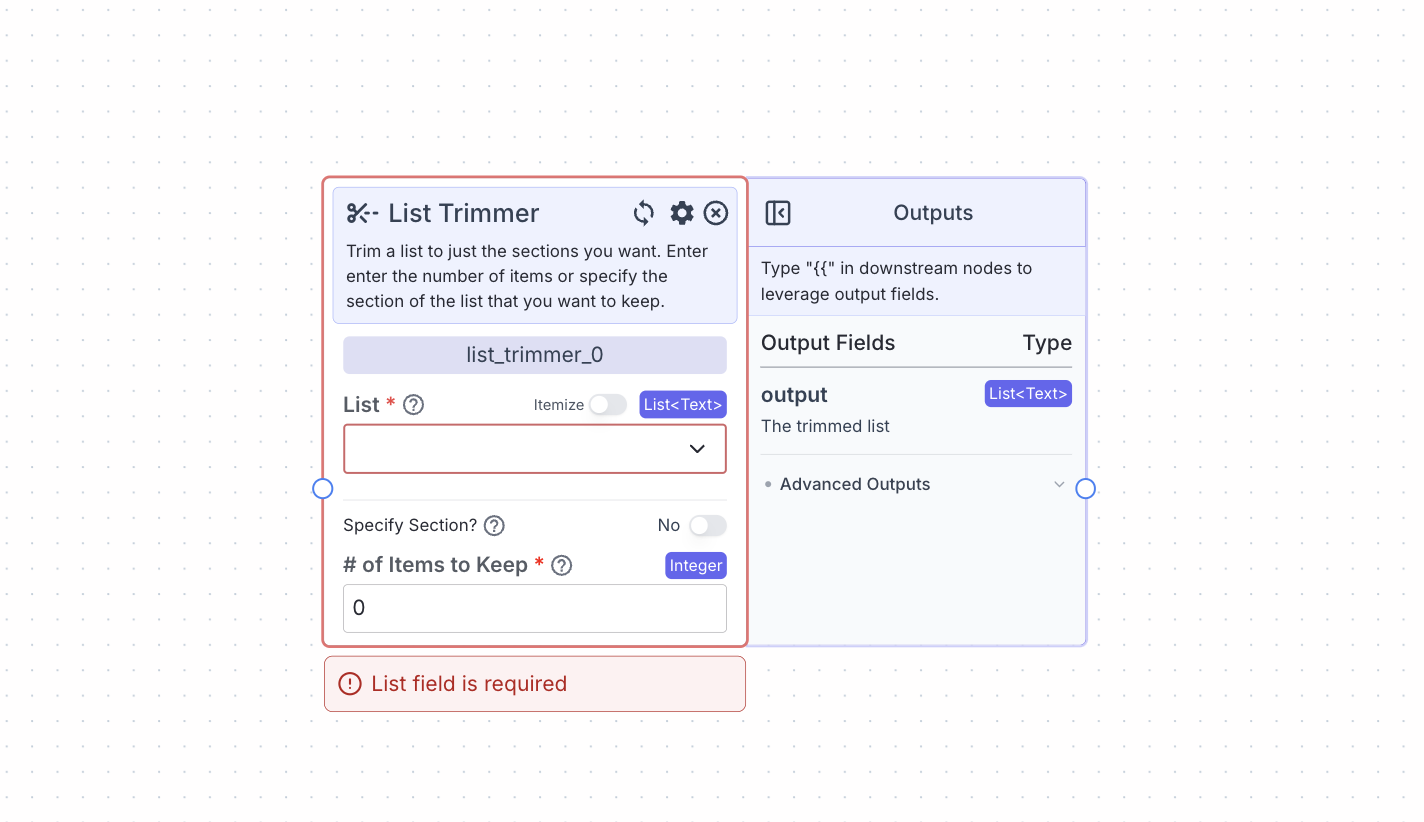
Node Inputs
- Type: The type of list you want to create.
- Type:
Dropdown
- Type:
- List: The list you want to trim.
- Type:
List<T>(based on the type of list you choose)
- Type:
Node Parameters
- Specify Section: When this is turned on you need to specify both the start index and end index of the section you want to keep.
- Number of Items to Keep: When the parameter Specify Section is switched off you need to specify the number of items you want to keep.
Node Outputs
- Output: The trimmed list
- Type:
List<T> - Example usage:
{{list_trimmer_0.output}}
- Type:
Considerations
- If you give a value in Number of Items to Keep that is greater than the length of the given list then the whole list will be returned.
- If the Specify Section parameter is turned on you need to specify the indexes. The start of the list is denoted by index 0.
Example
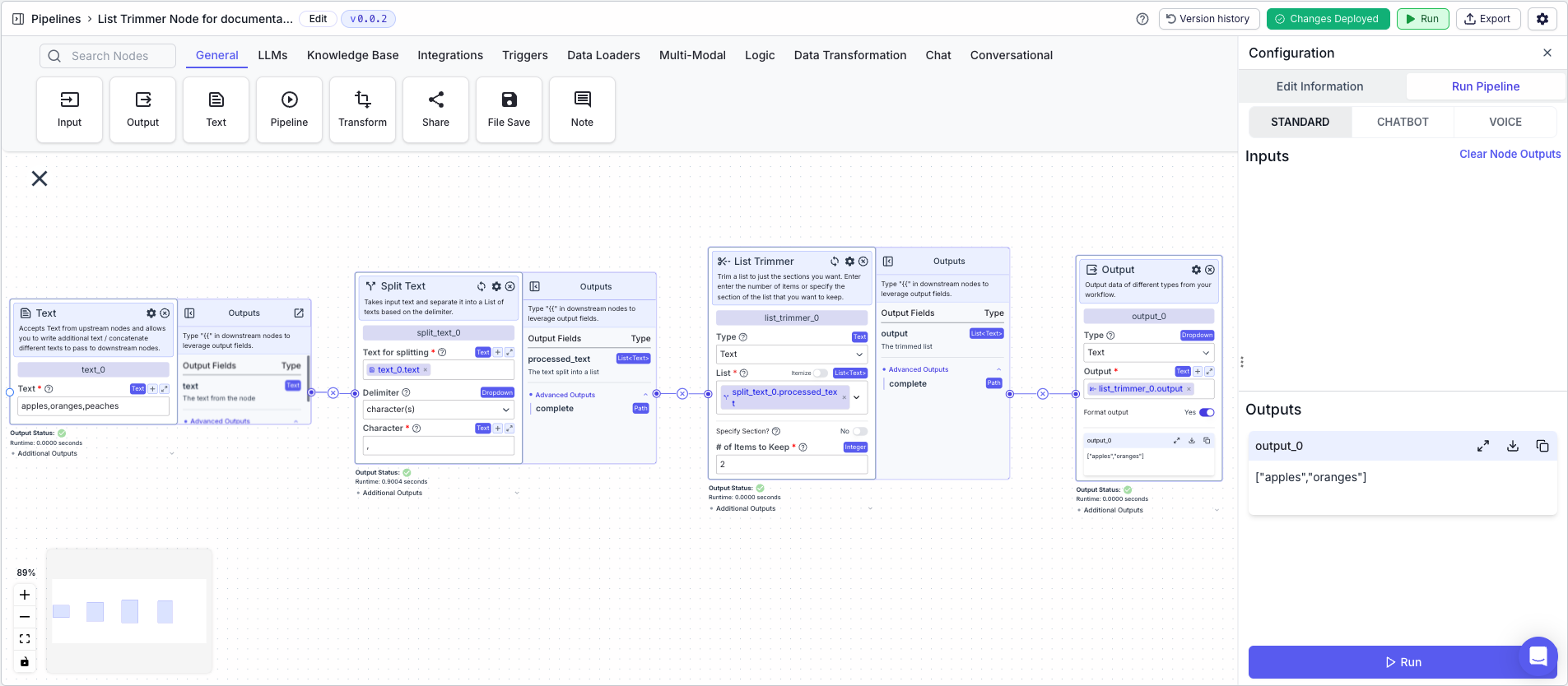
The below example shows a pipeline that demonstrates the capabilities of the list trimmer node. The node will take in a list of 3 items, and trim it down to 2 items.- Text Node: Contains the following text:
apples,oranges,peaches - Split Text Node: Splits the text on the comma delimiter into a list
- Text for splitting:
{{text_0.text}} - Delimiter:
Character(s) - Character:
,
- Text for splitting:
- List Trimmer Node: Trims the list to 2 items
- List:
{{split_text_0.processed_text}} - # of Items to Keep:
2
- List:
- Output: The trimmed list
- Output:
{{list_trimmer_0.output}}
- Output: