> ## Documentation Index
> Fetch the complete documentation index at: https://docs.vectorshift.ai/llms.txt
> Use this file to discover all available pages before exploring further.
# Time Node
> Outputs the time
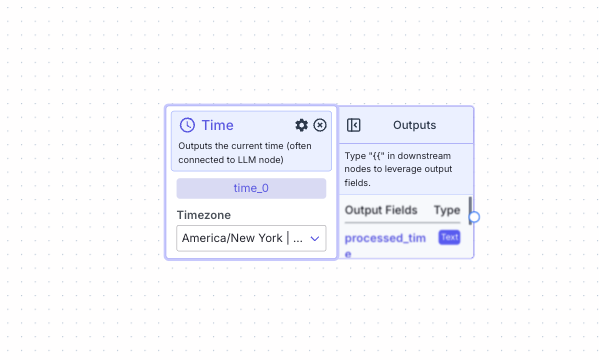 This node allows you to output the current time. It is often connected to the LLM node as LLMs do not inherently know what time it is.
## Node Inputs
No inputs for this node.
## Node Parameters
On the face of the node:
1. Timezone: The timezone for the time. The available options are listed here [Time Options](https://en.wikipedia.org/wiki/List_of_tz_database_time_zones#List). The default option is America/New York | GMT 04:00
* Type: `Dropdown`
In the gear:
1. Output Format: The format the time should be outputted. The available options are DD/MM/YYYY, DD-MM-YYYY / HH:MM:SS, Timestamp. The default format is DD/MM/YYYY.
* Type: `Dropdown`
Using the Delete fields you can add an offset for the time from the current time.
1. +/-: The delta time value is positive or negative
* Type: `Dropdown`
2. Value: The delta time value
* Type: `Integer`
3. Unit: The delta time unit. The available options are seconds, minutes, hours, days and weeks, The default option is seconds.
* Type: `Dropdown`
## Node Outputs
1. Processed Time: The time according to parameters provided
* Type: `Text`
* Example usage: `{{time_0.processed_time}}`
## Example
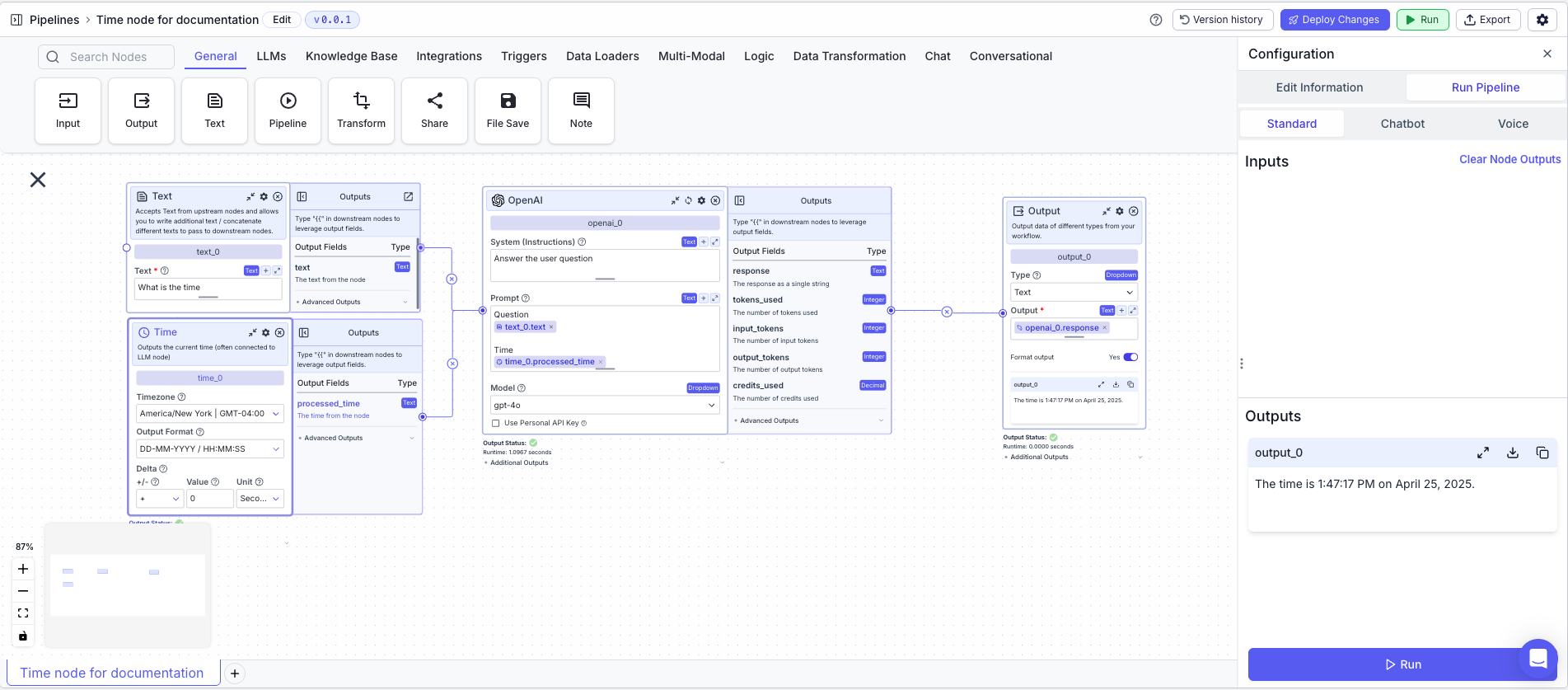
The below example is a pipeline which uses the LLM to answer the query `What is the time?`
1. Text Node: The LLM query
* Text: `What is the time?`
2. Time Node: Outputs the current time
* Timezone: `America/New York | GMT 04:00`
* Output Format: `DD/MM/YYYY / HH:MM:SS`
* +/-: `+`
* Value: `0`
* Unit: `seconds`
3. LLM Node: Uses the LLM to answer the query
* System (Instruction): `Answer the user's question`
* Prompt: `Question: {{input_0.text}} Time: {{time_0.processed_time}}`
4. Output Node: Outputs the answer
* Output: `{{openai_0.response}}`
This node allows you to output the current time. It is often connected to the LLM node as LLMs do not inherently know what time it is.
## Node Inputs
No inputs for this node.
## Node Parameters
On the face of the node:
1. Timezone: The timezone for the time. The available options are listed here [Time Options](https://en.wikipedia.org/wiki/List_of_tz_database_time_zones#List). The default option is America/New York | GMT 04:00
* Type: `Dropdown`
In the gear:
1. Output Format: The format the time should be outputted. The available options are DD/MM/YYYY, DD-MM-YYYY / HH:MM:SS, Timestamp. The default format is DD/MM/YYYY.
* Type: `Dropdown`
Using the Delete fields you can add an offset for the time from the current time.
1. +/-: The delta time value is positive or negative
* Type: `Dropdown`
2. Value: The delta time value
* Type: `Integer`
3. Unit: The delta time unit. The available options are seconds, minutes, hours, days and weeks, The default option is seconds.
* Type: `Dropdown`
## Node Outputs
1. Processed Time: The time according to parameters provided
* Type: `Text`
* Example usage: `{{time_0.processed_time}}`
## Example
The below example is a pipeline which uses the LLM to answer the query `What is the time?`
1. Text Node: The LLM query
* Text: `What is the time?`
2. Time Node: Outputs the current time
* Timezone: `America/New York | GMT 04:00`
* Output Format: `DD/MM/YYYY / HH:MM:SS`
* +/-: `+`
* Value: `0`
* Unit: `seconds`
3. LLM Node: Uses the LLM to answer the query
* System (Instruction): `Answer the user's question`
* Prompt: `Question: {{input_0.text}} Time: {{time_0.processed_time}}`
4. Output Node: Outputs the answer
* Output: `{{openai_0.response}}`