> ## Documentation Index
> Fetch the complete documentation index at: https://docs.vectorshift.ai/llms.txt
> Use this file to discover all available pages before exploring further.
# Convert Type Node
> Convert value from source type to target type.
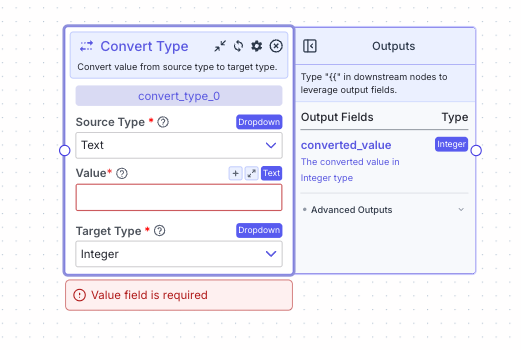 This node allows you to convert value from source type to target type.
## Node Inputs
1. Value: The value to convert.
* Type: ``
## Node Parameters
On the face of the node:
1. Source Type: The type of the value to convert. The only value available currently is `Text`.
* Type: `Dropdown`
2. Target Type: The type to convert the value to. The available options are `Integer`, `Decimal`, `Boolean` and `Timestamp`. The default option is `Integer`.
* Type: `Dropdown`
## Node Outputs
1. Converted Value: The converted value in the target type
* Type: ``
* Example usage: `{{convert_type_0.converted_value}}`
## Example
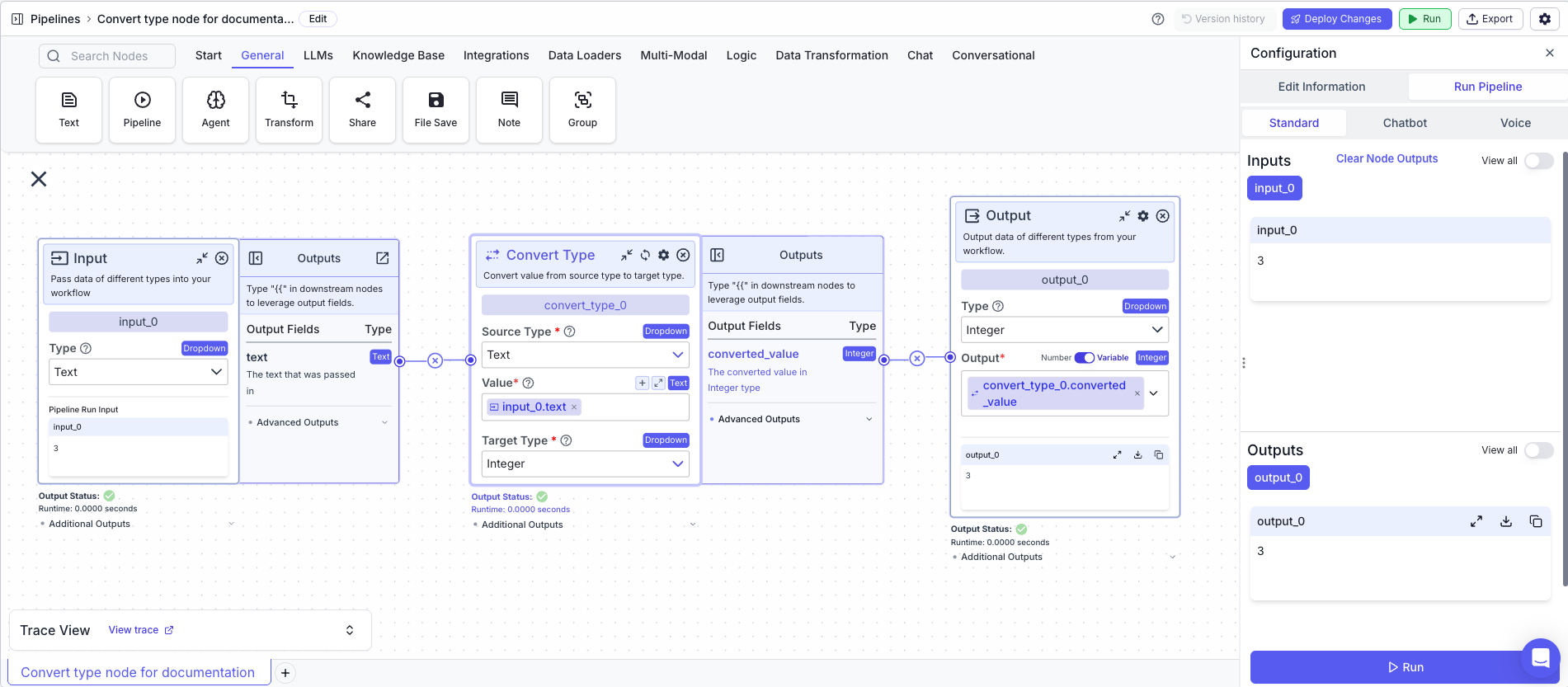
The below example is a pipeline which converts a value from `Text` to `Integer`.
1. Input Node: The value to convert
* Type: `Text`
2. Convert Type Node: Converts the value from `Text` to `Integer`
* Value: `{{input_0.text}}`
* Source Type: `Text`
* Target Type: `Integer`
3. Output Node: Outputs the converted value
* Output: `{{convert_type_0.converted_value}}`
This node allows you to convert value from source type to target type.
## Node Inputs
1. Value: The value to convert.
* Type: ``
## Node Parameters
On the face of the node:
1. Source Type: The type of the value to convert. The only value available currently is `Text`.
* Type: `Dropdown`
2. Target Type: The type to convert the value to. The available options are `Integer`, `Decimal`, `Boolean` and `Timestamp`. The default option is `Integer`.
* Type: `Dropdown`
## Node Outputs
1. Converted Value: The converted value in the target type
* Type: ``
* Example usage: `{{convert_type_0.converted_value}}`
## Example
The below example is a pipeline which converts a value from `Text` to `Integer`.
1. Input Node: The value to convert
* Type: `Text`
2. Convert Type Node: Converts the value from `Text` to `Integer`
* Value: `{{input_0.text}}`
* Source Type: `Text`
* Target Type: `Integer`
3. Output Node: Outputs the converted value
* Output: `{{convert_type_0.converted_value}}`