> ## Documentation Index
> Fetch the complete documentation index at: https://docs.vectorshift.ai/llms.txt
> Use this file to discover all available pages before exploring further.
# Sync Knowledge Base Node
> Automatically trigger a sync to the integrations in a Knowledge Base
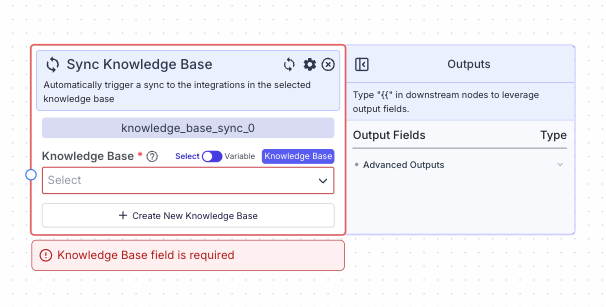 This node allows you to automatically trigger a sync to the integrations in the selected Knowledge Base.
## Node Inputs
1. Knowledge Base: The knowledge base you want to sync.
* Type: `KnowledgeBase`
You can choose an existing Knowledge Base in two ways:
1. Select: You can select from the dropdown a Knowledge Base in created in VectorShift platform.
2. Variable: You can pass in a variable containing reference to the Knowledge Base you want to select.
## Node Outputs
The knowledge base sync node does not have any node outputs.
## Example
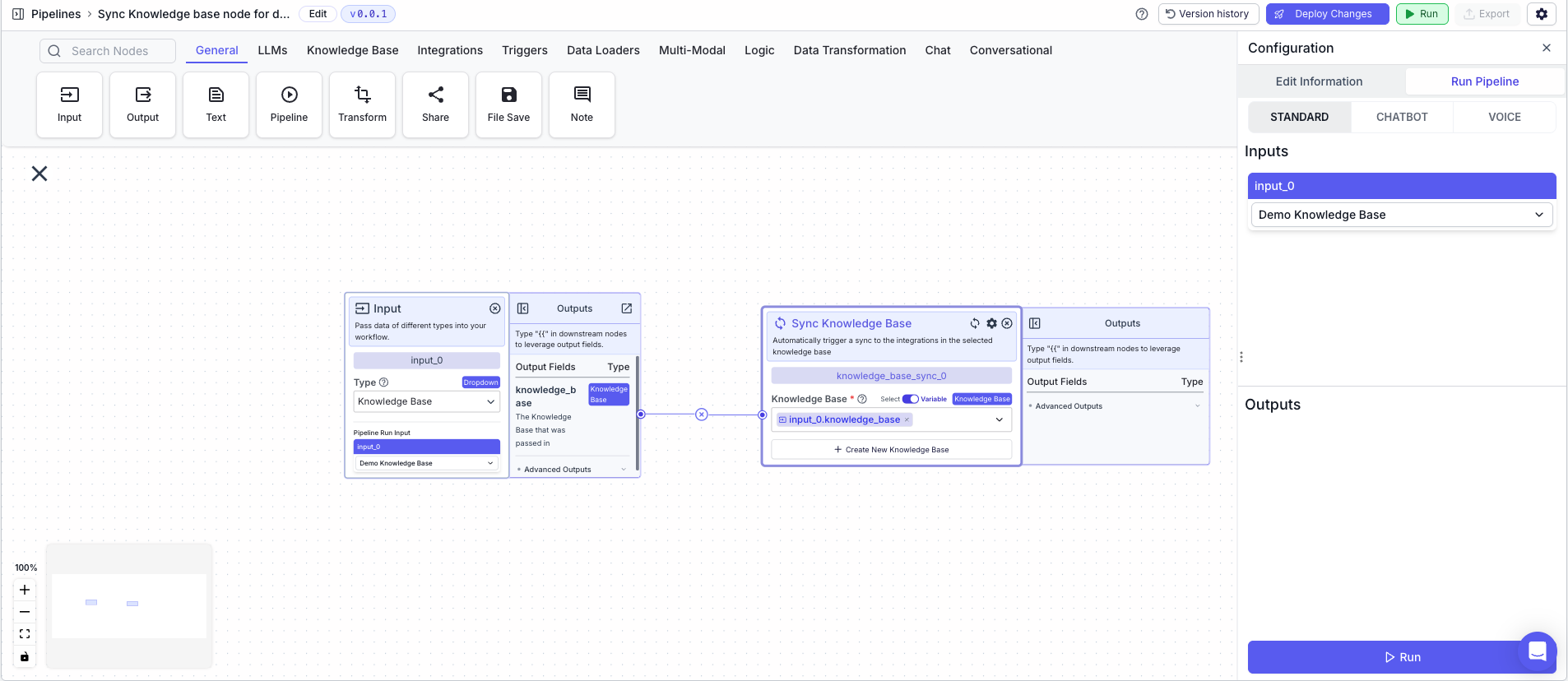
The below example is a pipeline which syncs that syncs all the integrations in a Knowledge Base.
1. Input Node: The Knowledge Base you want to sync
2. Knowledge Base Sync Node: Syncs the integrations in the Knowledge Base
* Knowledge Base: `{{input_0.knowledge_base}}`
* Variable: `True`
This node allows you to automatically trigger a sync to the integrations in the selected Knowledge Base.
## Node Inputs
1. Knowledge Base: The knowledge base you want to sync.
* Type: `KnowledgeBase`
You can choose an existing Knowledge Base in two ways:
1. Select: You can select from the dropdown a Knowledge Base in created in VectorShift platform.
2. Variable: You can pass in a variable containing reference to the Knowledge Base you want to select.
## Node Outputs
The knowledge base sync node does not have any node outputs.
## Example
The below example is a pipeline which syncs that syncs all the integrations in a Knowledge Base.
1. Input Node: The Knowledge Base you want to sync
2. Knowledge Base Sync Node: Syncs the integrations in the Knowledge Base
* Knowledge Base: `{{input_0.knowledge_base}}`
* Variable: `True`