> ## Documentation Index
> Fetch the complete documentation index at: https://docs.vectorshift.ai/llms.txt
> Use this file to discover all available pages before exploring further.
# Knowledge Base Loader Node
> Load Data into an existing Knowledge Base
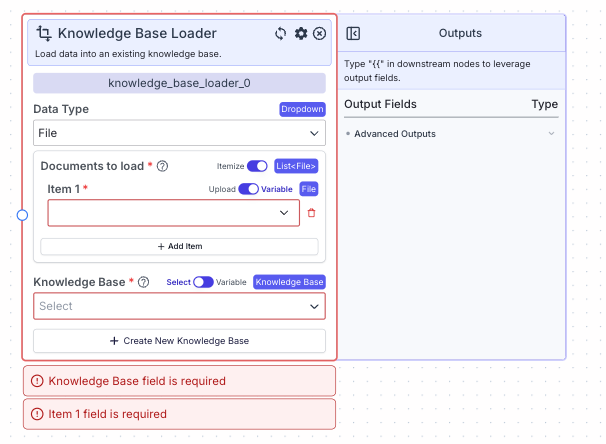 The knowledge base loader node loads data (files or scraped content from URLs) into an existing knowledge base.
## Node Inputs
1. Knowledge Base: Select the knowledge base you would like to query.
* Type: `KnowledgeBase`
You can choose an existing Knowledge Base in two ways:
1. Select: You can select from the dropdown a Knowledge Base in created in VectorShift platform.
2. Variable: You can pass in a variable containing reference to the Knowledge Base you want to select.
If Data Type is File:
1. Documents to load: The file to be added to the selected Knowledge Base. Note: to convert text to file, use the Text to File node.
* Type: `List`
If Data Type is URL:
1. URL to load: The raw URL link (e.g., [https://vectorshift.ai/](https://vectorshift.ai/))
* Type: `Text`
## Node Parameters
If Data Type is URL:
1. Loader Type: The type of URL loader you want to use. The available loaders are URL, Wikipedia Query, Youtube URL, Arxiv Query and Repository URL. The default value is URL.
2. Recursive: Scrape sub-pages of the provided link.
3. Re-scrape Frequency: The frequency that the URL will be re-scraped. The available options are Never, Hourly, Daily, Weekly and Monthly. The default value is Never.
## Node Outputs
The knowledge base loader node does not have any node outputs.
## Example
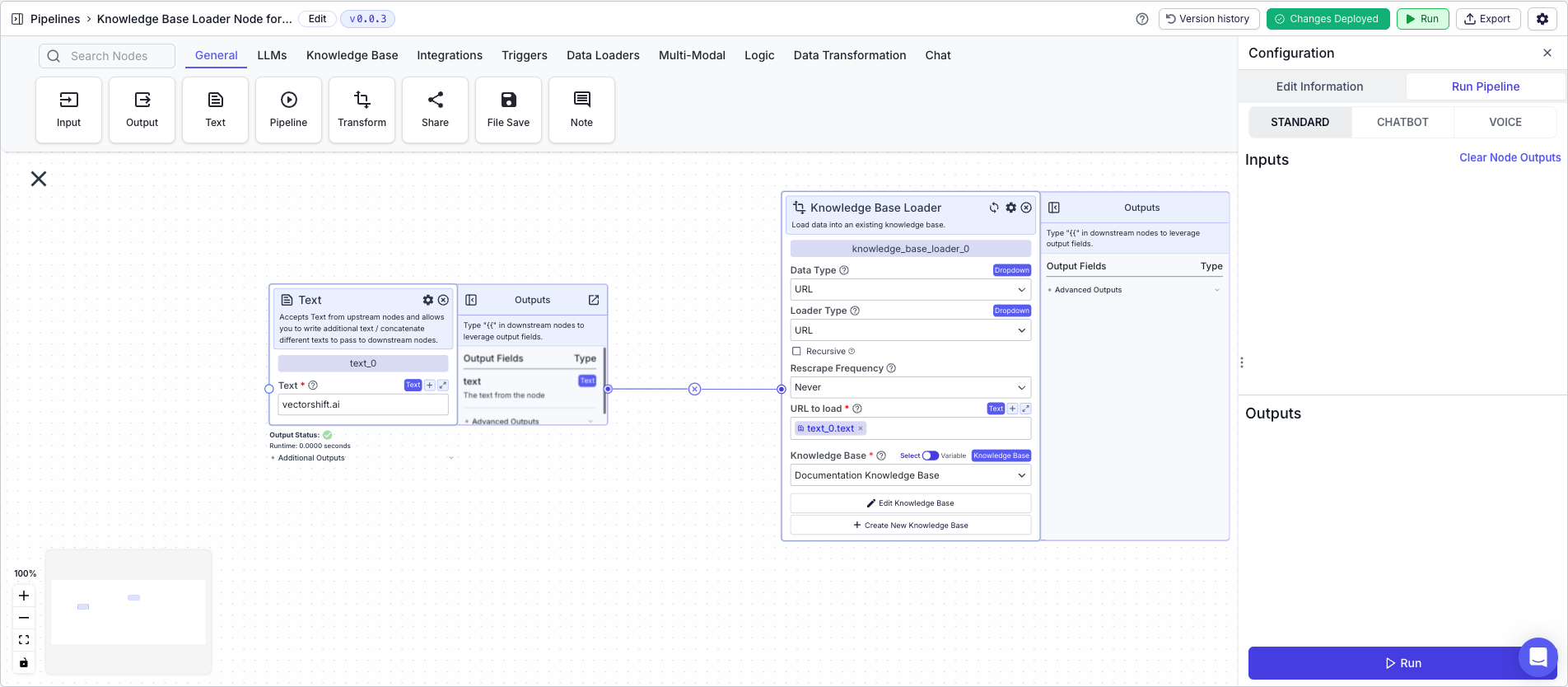
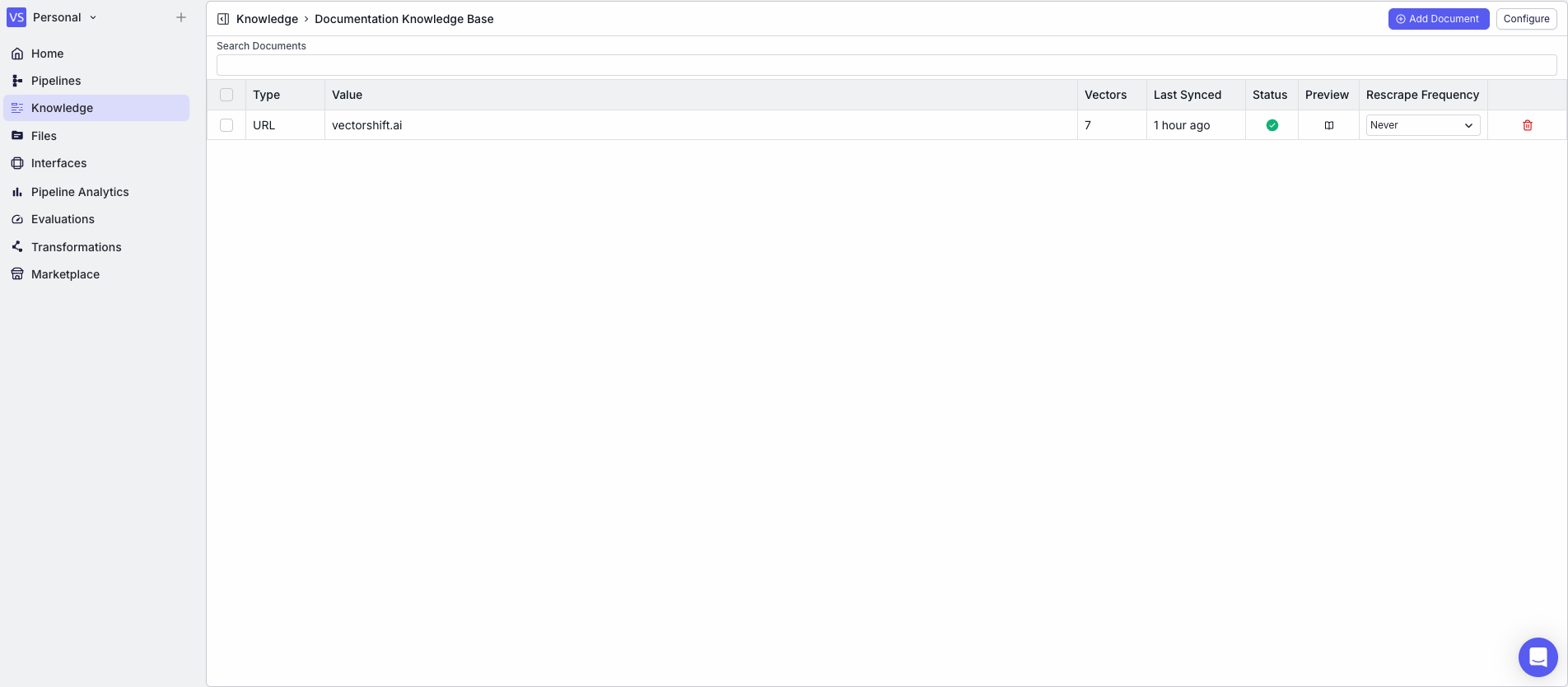
The below example shows a pipeline that loads content from vectorshift.ai into a knowledge base.
* Text Node: Contains the URL "vectorshift.ai"
* Knowledge Base Loader Node:
* Knowledge Base: Select the knowledge base you want to load the data into from the "Knowledge Base" drop down
* Data Type: `URL`
* URL to load: `{{text_0.text}}`
The knowledge base loader node loads data (files or scraped content from URLs) into an existing knowledge base.
## Node Inputs
1. Knowledge Base: Select the knowledge base you would like to query.
* Type: `KnowledgeBase`
You can choose an existing Knowledge Base in two ways:
1. Select: You can select from the dropdown a Knowledge Base in created in VectorShift platform.
2. Variable: You can pass in a variable containing reference to the Knowledge Base you want to select.
If Data Type is File:
1. Documents to load: The file to be added to the selected Knowledge Base. Note: to convert text to file, use the Text to File node.
* Type: `List`
If Data Type is URL:
1. URL to load: The raw URL link (e.g., [https://vectorshift.ai/](https://vectorshift.ai/))
* Type: `Text`
## Node Parameters
If Data Type is URL:
1. Loader Type: The type of URL loader you want to use. The available loaders are URL, Wikipedia Query, Youtube URL, Arxiv Query and Repository URL. The default value is URL.
2. Recursive: Scrape sub-pages of the provided link.
3. Re-scrape Frequency: The frequency that the URL will be re-scraped. The available options are Never, Hourly, Daily, Weekly and Monthly. The default value is Never.
## Node Outputs
The knowledge base loader node does not have any node outputs.
## Example
The below example shows a pipeline that loads content from vectorshift.ai into a knowledge base.
* Text Node: Contains the URL "vectorshift.ai"
* Knowledge Base Loader Node:
* Knowledge Base: Select the knowledge base you want to load the data into from the "Knowledge Base" drop down
* Data Type: `URL`
* URL to load: `{{text_0.text}}`