> ## Documentation Index
> Fetch the complete documentation index at: https://docs.vectorshift.ai/llms.txt
> Use this file to discover all available pages before exploring further.
# Pipeline Node
> Run other pipelines within your current pipeline
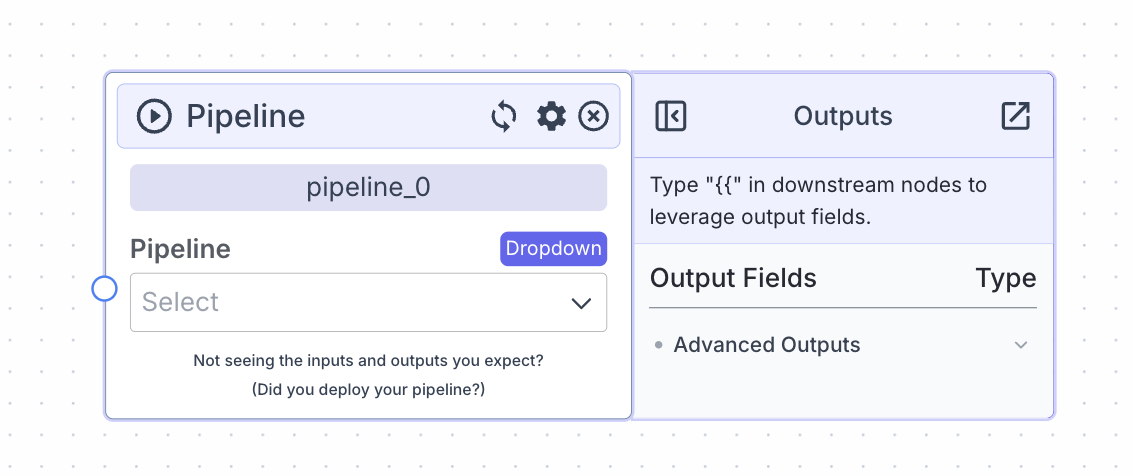 The pipeline node allows you to run other pipelines within your current pipeline.
Use a pipeline node when you want to execute an abstracted workflow (sub-pipeline) as part of your current pipeline.
## Node Inputs
1. Pipeline: Select the sub-pipeline to run within your current workflow
2. Pipeline-specific inputs: The inputs corresponding to all input nodes within your selected sub-pipeline
* Type: Varies based on input nodes in sub-pipeline
The pipeline node uses the most recent **deployed** version of your sub-pipeline. Ensure that your sub-pipeline is deployed before using it in the pipeline node.
## Node Outputs
1. Pipeline specific outputs: Outputs corresponding to the output nodes for your selected sub-pipeline
* Type: Varies based on output nodes in sub-pipeline
* Example usage: `{{pipeline_0.[output_name]}}`
## Considerations
* Use a pipeline node to execute separately created workflows within your current pipeline. It is especially useful to abstract out complex logic when dealing with large/complex workflows.
* The pipeline node makes the outputs of the sub-pipeline available to use in your current workflow.
* All input nodes in your sub-pipeline will appear as input fields on the pipeline node.
## Example
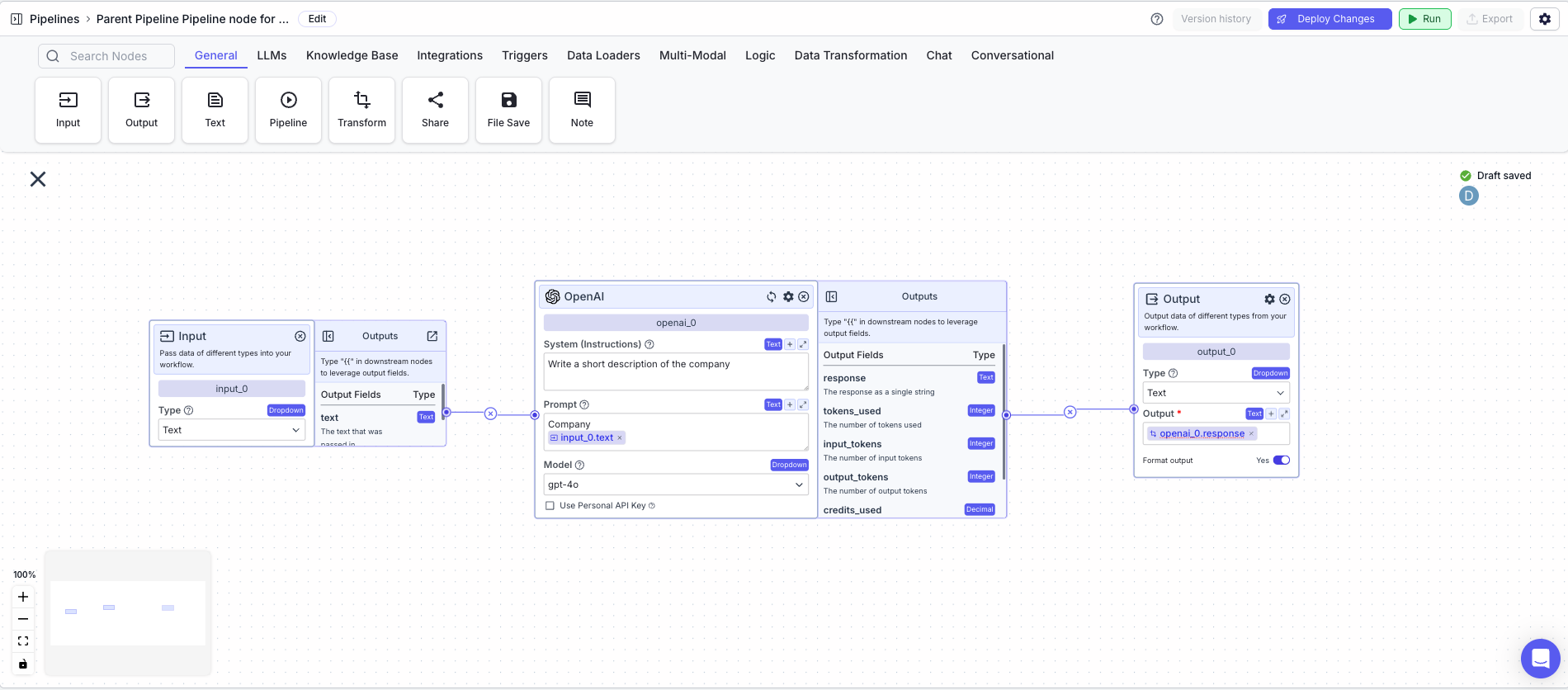
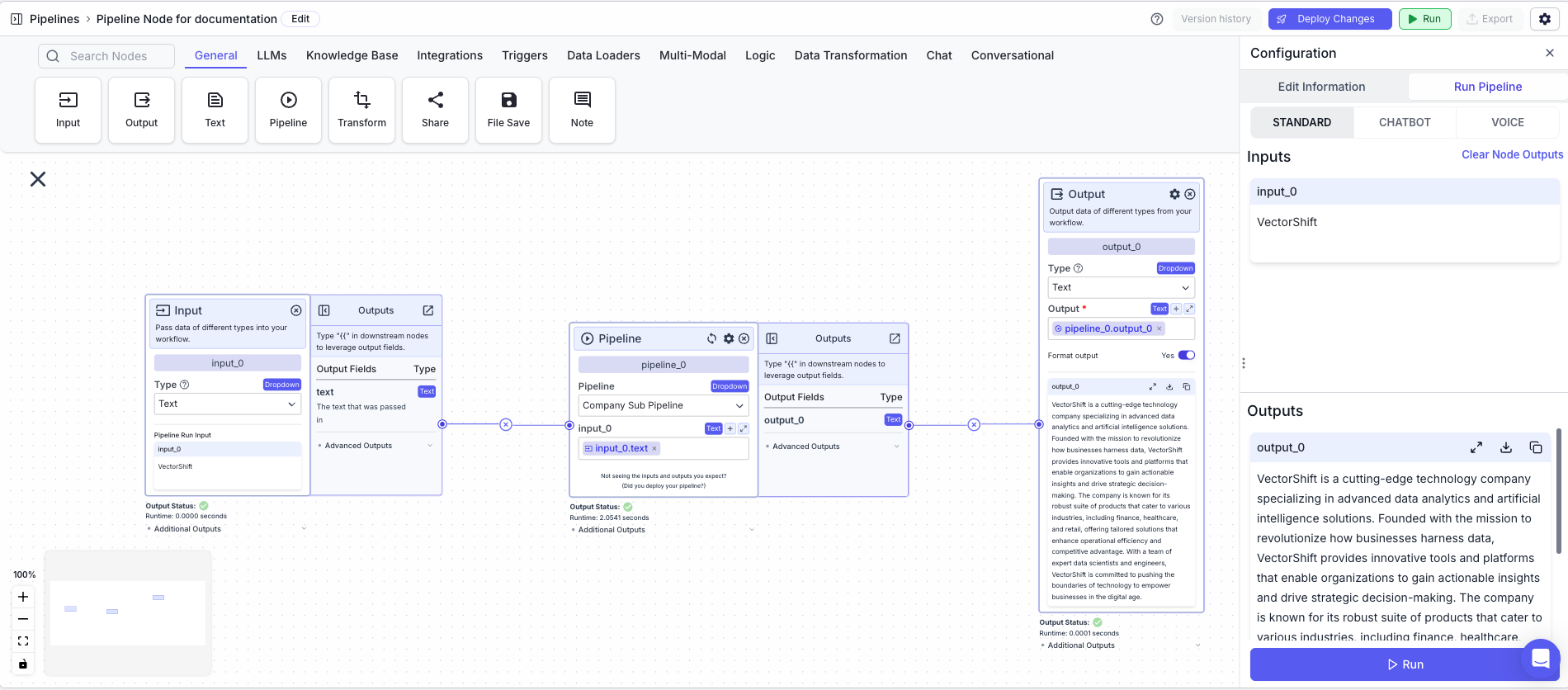
The below example shows a “Parent Pipeline” calling a sub-pipeline, “Company sub-pipeline”. The sub-pipeline takes in the name of a company, and outputs a short description of the company. \
\
Parent Pipeline
1. Input Node: Allows for the name of a company to be inputted into the pipeline.
2. Pipeline Node: Calls the sub-pipeline
* Pipeline: `Company Sub Pipeline`
3. Output Node: Display the output of the sub-pipeline
* Output: `{{pipeline_0.output_0}}`
**Parent Pipeline**
The pipeline node allows you to run other pipelines within your current pipeline.
Use a pipeline node when you want to execute an abstracted workflow (sub-pipeline) as part of your current pipeline.
## Node Inputs
1. Pipeline: Select the sub-pipeline to run within your current workflow
2. Pipeline-specific inputs: The inputs corresponding to all input nodes within your selected sub-pipeline
* Type: Varies based on input nodes in sub-pipeline
The pipeline node uses the most recent **deployed** version of your sub-pipeline. Ensure that your sub-pipeline is deployed before using it in the pipeline node.
## Node Outputs
1. Pipeline specific outputs: Outputs corresponding to the output nodes for your selected sub-pipeline
* Type: Varies based on output nodes in sub-pipeline
* Example usage: `{{pipeline_0.[output_name]}}`
## Considerations
* Use a pipeline node to execute separately created workflows within your current pipeline. It is especially useful to abstract out complex logic when dealing with large/complex workflows.
* The pipeline node makes the outputs of the sub-pipeline available to use in your current workflow.
* All input nodes in your sub-pipeline will appear as input fields on the pipeline node.
## Example
The below example shows a “Parent Pipeline” calling a sub-pipeline, “Company sub-pipeline”. The sub-pipeline takes in the name of a company, and outputs a short description of the company. \
\
Parent Pipeline
1. Input Node: Allows for the name of a company to be inputted into the pipeline.
2. Pipeline Node: Calls the sub-pipeline
* Pipeline: `Company Sub Pipeline`
3. Output Node: Display the output of the sub-pipeline
* Output: `{{pipeline_0.output_0}}`
**Parent Pipeline**
 **Sub-Pipeline**