> ## Documentation Index
> Fetch the complete documentation index at: https://docs.vectorshift.ai/llms.txt
> Use this file to discover all available pages before exploring further.
# Split Text Node
> Split text based on a delimiter
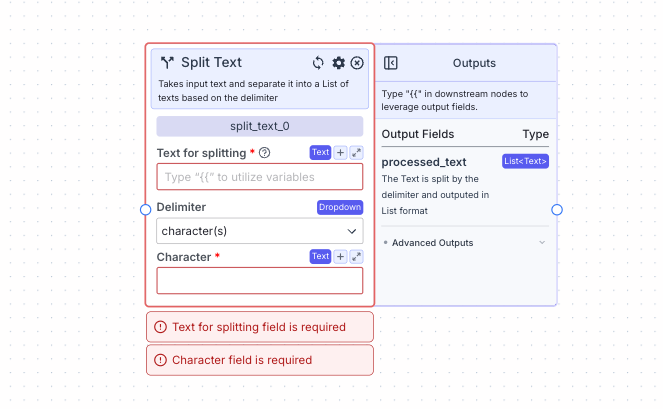 This node takes input text and separates it into a list of texts based on the delimiter.
It is often used when splitting a large text into smaller pieces, and then performing operations on each item in the list.
## Node Inputs
1. Text for splitting: The text for splitting
* Type: `Text`
If Delimiter is Character(s):
1. Character: The character for splitting
* Type: `Text`
## Node Parameters
On the face of the node:
1. Delimiter: The type of delimiter for splitting. The available options are Space, New Line and Character(s). The default option is Space.
* Type: `Dropdown`
## Node Outputs
1. Processed Text: The text is split by the delimiter and outputted in List format
* Type: `List`
* Example usage: `{{split_text_0.processed_text}}`
## Example
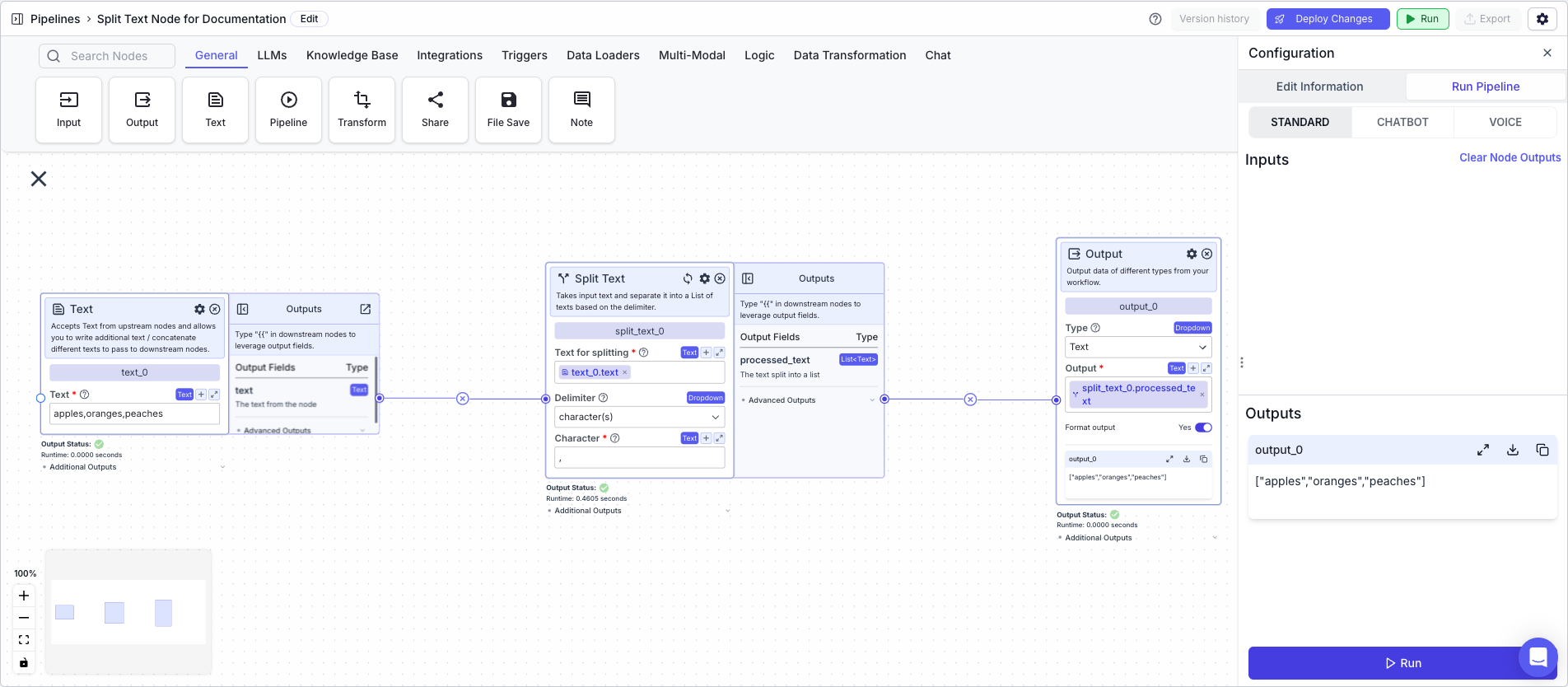
The below example shows a pipeline that takes in a text and splits it into a list of texts based on the delimiter.
1. Text Node: Contains the text "apples,oranges,peaches"
2. Split Text Node: Splits the text into a list of texts based on the delimiter
* Text for splitting: `{{text_0.text}}`
* Delimiter: `Character(s)`
* Character: `,`
3. Output: display the new text
* Output: `{{split_text_0.processed_text}}`
This node takes input text and separates it into a list of texts based on the delimiter.
It is often used when splitting a large text into smaller pieces, and then performing operations on each item in the list.
## Node Inputs
1. Text for splitting: The text for splitting
* Type: `Text`
If Delimiter is Character(s):
1. Character: The character for splitting
* Type: `Text`
## Node Parameters
On the face of the node:
1. Delimiter: The type of delimiter for splitting. The available options are Space, New Line and Character(s). The default option is Space.
* Type: `Dropdown`
## Node Outputs
1. Processed Text: The text is split by the delimiter and outputted in List format
* Type: `List`
* Example usage: `{{split_text_0.processed_text}}`
## Example
The below example shows a pipeline that takes in a text and splits it into a list of texts based on the delimiter.
1. Text Node: Contains the text "apples,oranges,peaches"
2. Split Text Node: Splits the text into a list of texts based on the delimiter
* Text for splitting: `{{text_0.text}}`
* Delimiter: `Character(s)`
* Character: `,`
3. Output: display the new text
* Output: `{{split_text_0.processed_text}}`