> ## Documentation Index
> Fetch the complete documentation index at: https://docs.vectorshift.ai/llms.txt
> Use this file to discover all available pages before exploring further.
# Email Notification Node
> Send email notifications
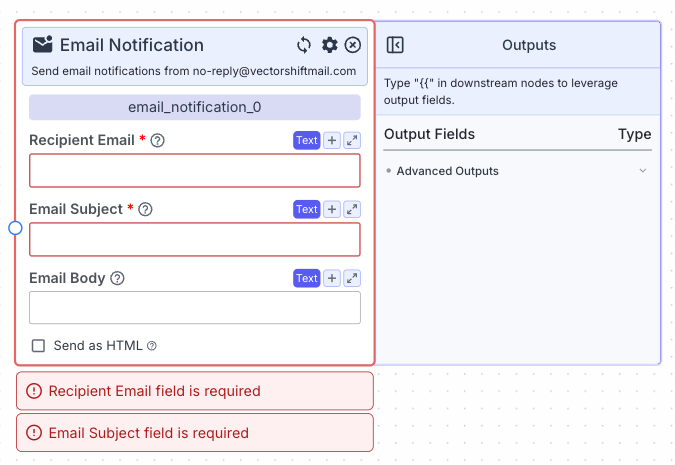 This node allows you to send email notifications from `no-reply@vectorshiftmail.com`.
## Node Inputs
1. Recipient Email: Recipient email address(es), comma-separated
* Type: `Text`
2. Email Subject: Subject line of the email
* Type: `Text`
3. Email Body: Email content
* Type: `Text`
## Node Parameters
On the face of the node:
1. Send as HTML: Send email in HTML format.
* Type: `Checkbox`
## Node Outputs
This node has no outputs.
## Example
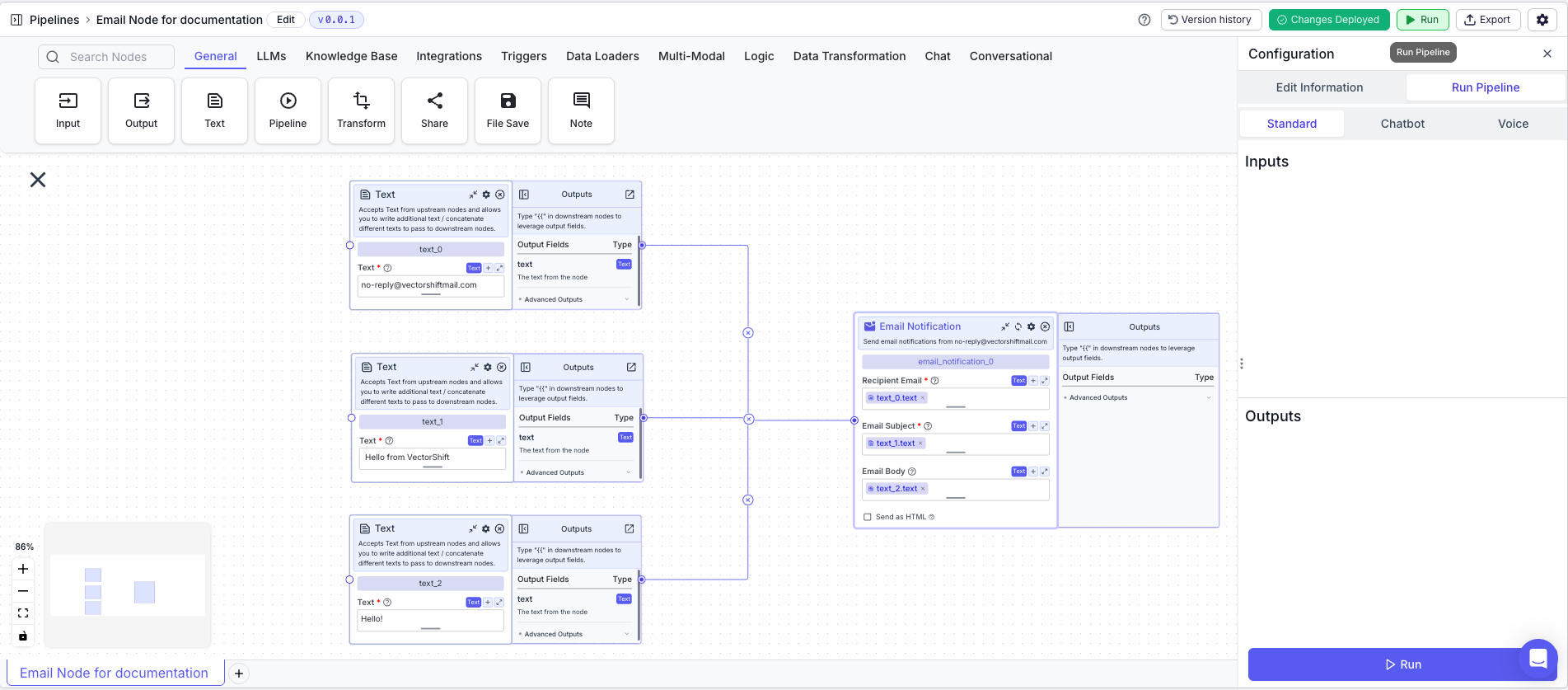
The below example is a pipeline which sends an email notification to a recipient from the [no-reply@vectorshiftmail.com](mailto:no-reply@vectorshiftmail.com) email address.
1. Text Node: The recipient email address
* Text: `no-reply@vectorshiftmail.com`
2. Text Node: The email subject
* Text: ` Hello from VectorShift`
3. Text Node: The email body
* Text: `Hello!`
4. Email Notification Node: Sends the email
* Recipient Email: `{{text_0.text}}`
* Email Subject: `{{text_1.text}}`
* Email Body: `{{text_2.text}}`
This node allows you to send email notifications from `no-reply@vectorshiftmail.com`.
## Node Inputs
1. Recipient Email: Recipient email address(es), comma-separated
* Type: `Text`
2. Email Subject: Subject line of the email
* Type: `Text`
3. Email Body: Email content
* Type: `Text`
## Node Parameters
On the face of the node:
1. Send as HTML: Send email in HTML format.
* Type: `Checkbox`
## Node Outputs
This node has no outputs.
## Example
The below example is a pipeline which sends an email notification to a recipient from the [no-reply@vectorshiftmail.com](mailto:no-reply@vectorshiftmail.com) email address.
1. Text Node: The recipient email address
* Text: `no-reply@vectorshiftmail.com`
2. Text Node: The email subject
* Text: ` Hello from VectorShift`
3. Text Node: The email body
* Text: `Hello!`
4. Email Notification Node: Sends the email
* Recipient Email: `{{text_0.text}}`
* Email Subject: `{{text_1.text}}`
* Email Body: `{{text_2.text}}`