> ## Documentation Index
> Fetch the complete documentation index at: https://docs.vectorshift.ai/llms.txt
> Use this file to discover all available pages before exploring further.
# Flatten List of Lists Node
> Flatten a list of lists into a single list
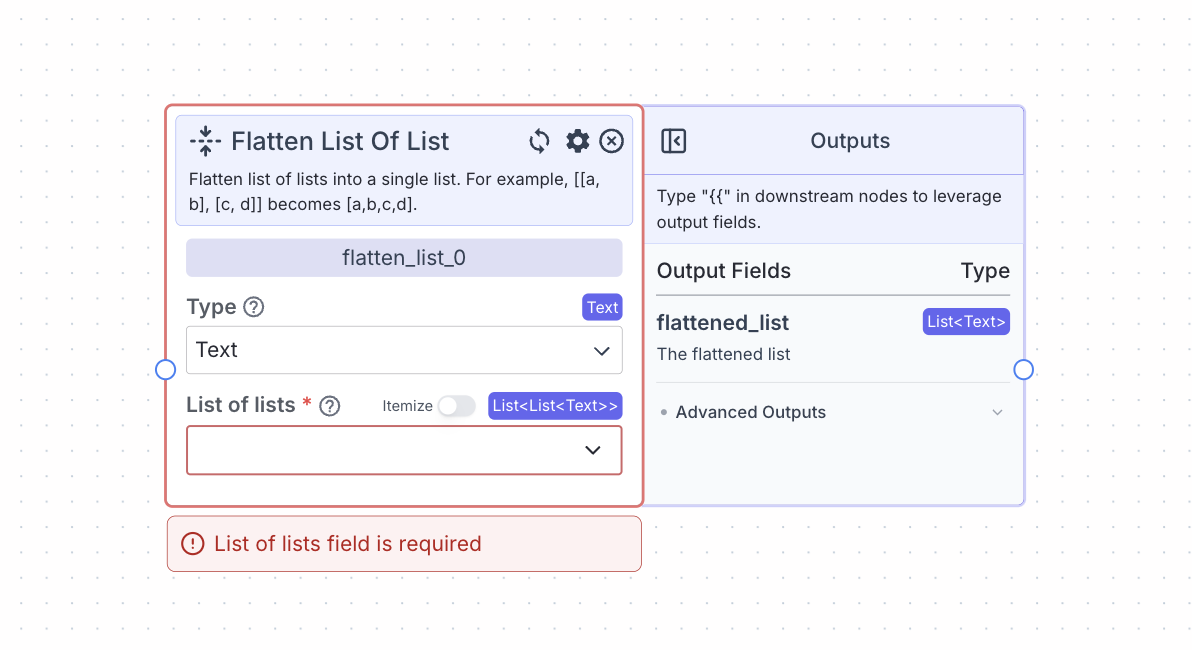 This node allows you to flatten a list of lists. Specifically, it takes a list of lists and converts it into a list.
For example, flattening \[\[a, b], \[c, d]] becomes \[a, b, c, d].
## Node Inputs
1. Type: The type of list you want to create
* Type: `Dropdown`
2. List of lists: The list of lists you want to flatten
* Type: `List>` (based on the type of list you choose)
## Node Outputs
1. Flattened list: The flattened list
* Type: `List`
* Example usage: `{{flatten_list_0.flattened_list}}`
## Example
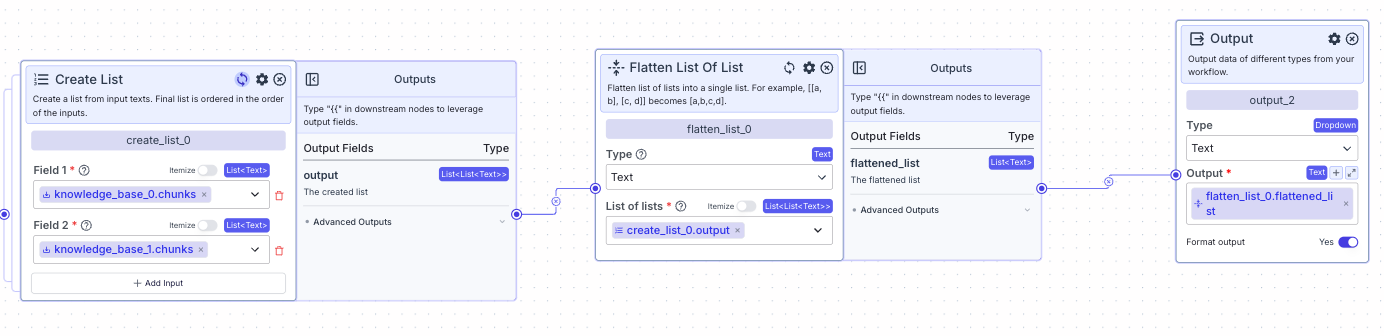
The below example is a pipeline for flattening a list of lists to a list.
This node allows you to flatten a list of lists. Specifically, it takes a list of lists and converts it into a list.
For example, flattening \[\[a, b], \[c, d]] becomes \[a, b, c, d].
## Node Inputs
1. Type: The type of list you want to create
* Type: `Dropdown`
2. List of lists: The list of lists you want to flatten
* Type: `List>` (based on the type of list you choose)
## Node Outputs
1. Flattened list: The flattened list
* Type: `List`
* Example usage: `{{flatten_list_0.flattened_list}}`
## Example
The below example is a pipeline for flattening a list of lists to a list.