> ## Documentation Index
> Fetch the complete documentation index at: https://docs.vectorshift.ai/llms.txt
> Use this file to discover all available pages before exploring further.
# Duplicate List Node
> Duplicate a single item to create a list of a certain size
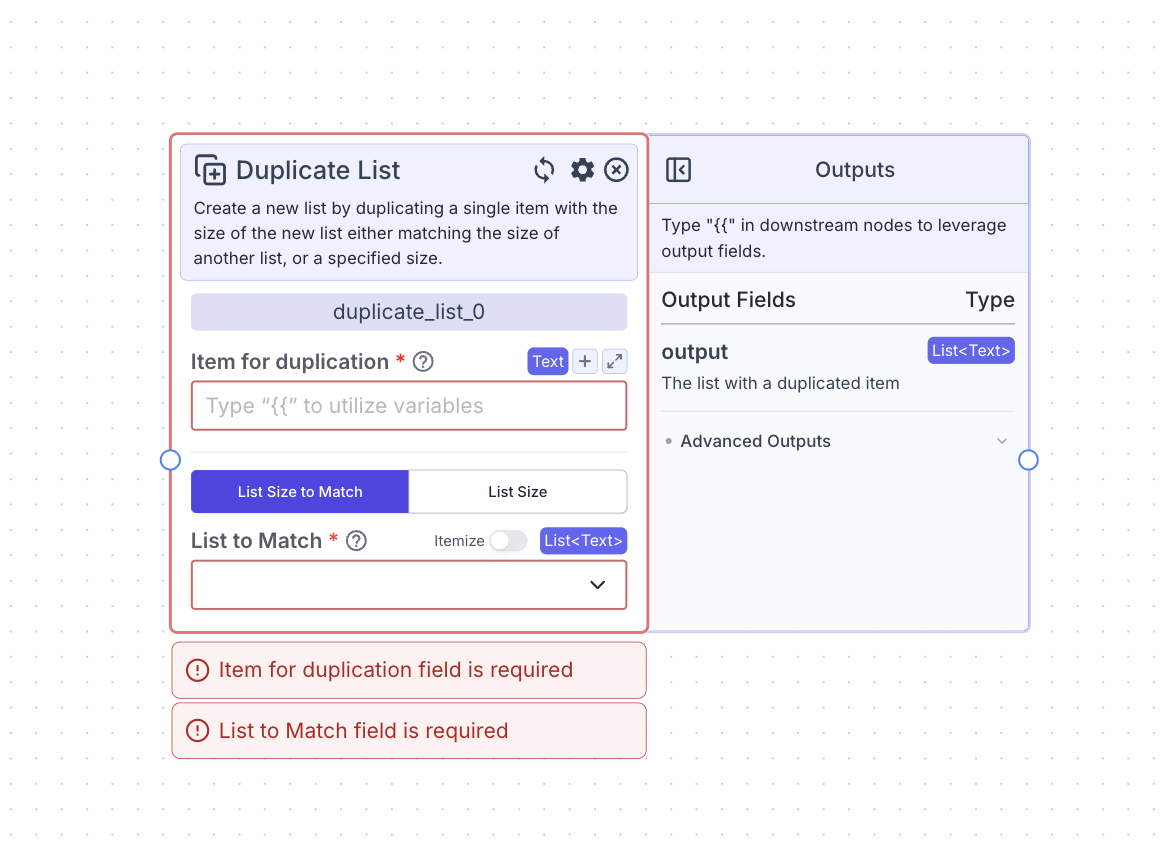 This node creates a new list by duplicating a single item with the size of the new list either matching the size of another list, or a specified size.
For example, if we were to duplicate “a” to match \[1, 2, 3], the output would be: \[a, a, a].
## Node Inputs
1. Type: The type of list you want to create
* Type: `Dropdown`
2. Item for duplication: The item that is going to be duplicated in the list.
* Type: `T` (based on the type of list you choose)
3. List Size to Match: The list whose size will be matched (if “List Size to Match” is the duplication mode selected).
* Type: `List` (based on the type of list you choose)
4. List Size: The size of the new list.
* Type: `Integer`
## Node Outputs
1. Output: The list with given size populated with the given item
* Type: `List`
* Example usage: `{{duplicate_list_0.output}}`
## Example
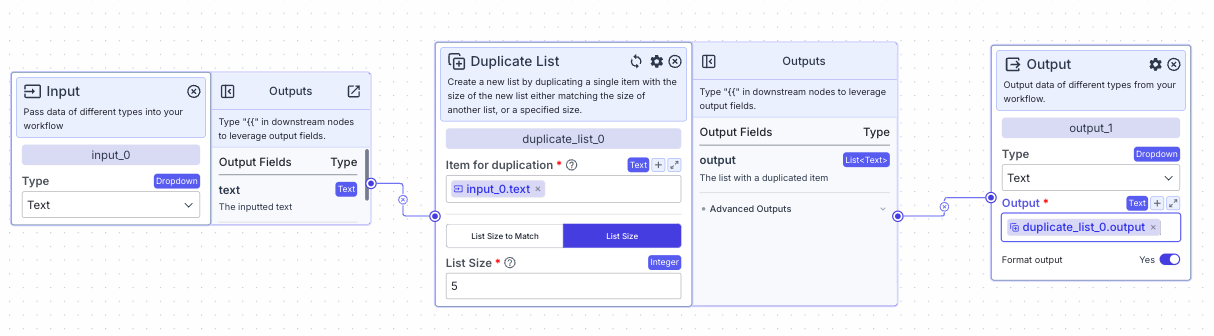
The below example is a pipeline for creating a list of size 5 with all the elements as the inputted value.
if the input value is “a” and the list size is designated as 5, the output will be: \["a", "a", "a", "a", "a"]
This node creates a new list by duplicating a single item with the size of the new list either matching the size of another list, or a specified size.
For example, if we were to duplicate “a” to match \[1, 2, 3], the output would be: \[a, a, a].
## Node Inputs
1. Type: The type of list you want to create
* Type: `Dropdown`
2. Item for duplication: The item that is going to be duplicated in the list.
* Type: `T` (based on the type of list you choose)
3. List Size to Match: The list whose size will be matched (if “List Size to Match” is the duplication mode selected).
* Type: `List` (based on the type of list you choose)
4. List Size: The size of the new list.
* Type: `Integer`
## Node Outputs
1. Output: The list with given size populated with the given item
* Type: `List`
* Example usage: `{{duplicate_list_0.output}}`
## Example
The below example is a pipeline for creating a list of size 5 with all the elements as the inputted value.
if the input value is “a” and the list size is designated as 5, the output will be: \["a", "a", "a", "a", "a"]