> ## Documentation Index
> Fetch the complete documentation index at: https://docs.vectorshift.ai/llms.txt
> Use this file to discover all available pages before exploring further.
# Sort CSV Node
> Sort a CSV file
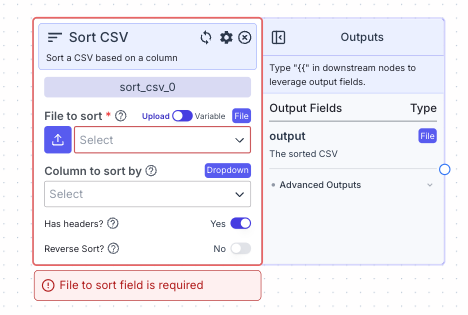 This node allows you to sort a CSV file.
## Node Inputs
1. File to sort: The CSV you want to sort
* Type: `File`
For providing the file you have two options:
1. If toggle is on Upload: Upload a file by clicking the upload button
2. If toggle is on Variable: Reference files from other nodes.
## Node Parameters
On the face of the node:
1. Has Headers: Turn on if the CSV has headers
2. Reverse Sort: Turn on if you want to sort in descending order. The sorting is done in ascending order by default.
If CSV has headers:
* Column to sort by: Select the column you want to sort the CSV by.
If CSV has no headers:
* Column Index: The index of the column to sort by (the first column is 0)
## Node Outputs
1. Output: The sorted CSV
* Type: `File`
* Example usage: `{{sort_csv_0.output}}`
## Example
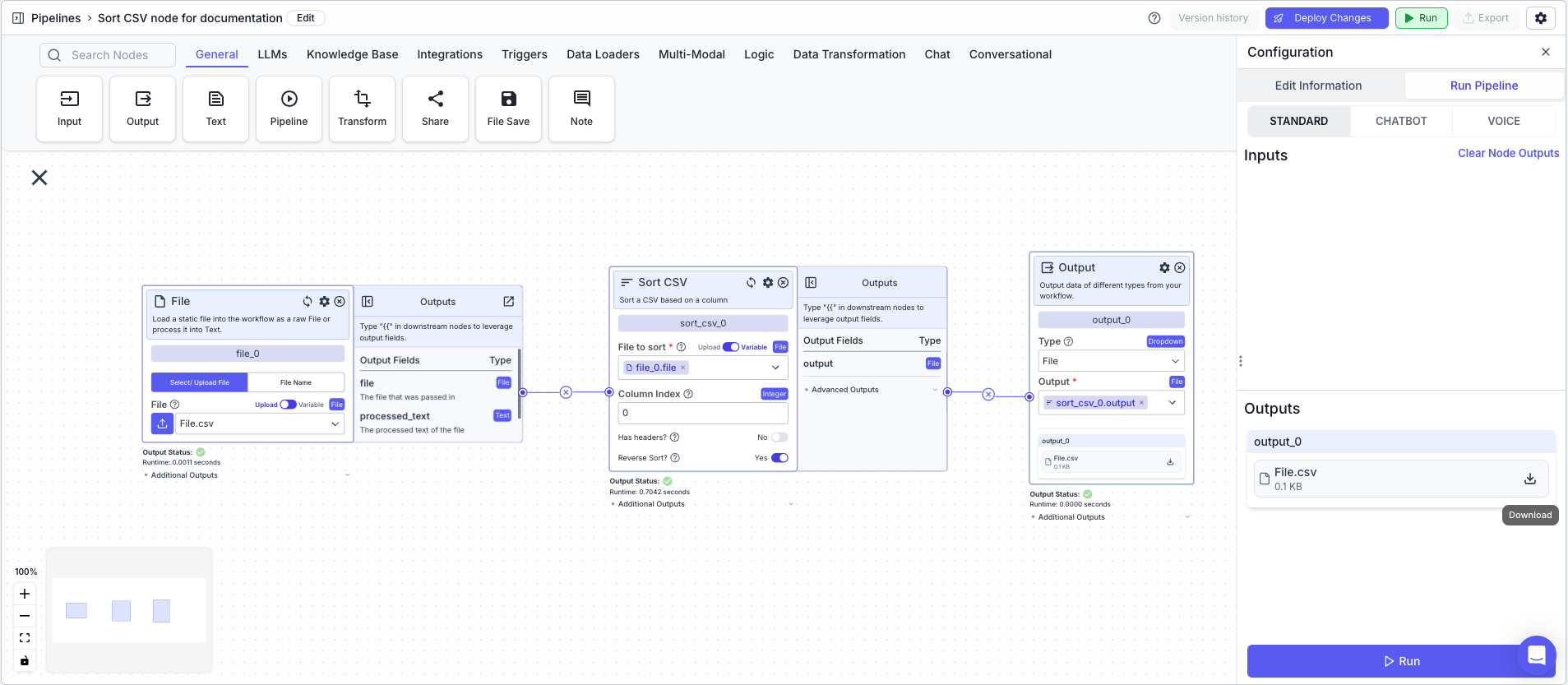
The below example shows a pipeline that takes in a CSV file and sorts it.
1. File Node: Loads the CSV file
* File: `File.csv` file created in the [CSV Writer Example](/platform/pipelines/data-transformation/file/csv-writer#example)
2. Sort CSV Node: Sorts the CSV file (reverse sort based on first column)
* File to sort: `{{file_0.file}}`
* Reverse Sort: `True`
* Column Index: `0`
3. Output Node: Displays the sorted CSV file
* Output: `{{sort_csv_0.output}}`
This node allows you to sort a CSV file.
## Node Inputs
1. File to sort: The CSV you want to sort
* Type: `File`
For providing the file you have two options:
1. If toggle is on Upload: Upload a file by clicking the upload button
2. If toggle is on Variable: Reference files from other nodes.
## Node Parameters
On the face of the node:
1. Has Headers: Turn on if the CSV has headers
2. Reverse Sort: Turn on if you want to sort in descending order. The sorting is done in ascending order by default.
If CSV has headers:
* Column to sort by: Select the column you want to sort the CSV by.
If CSV has no headers:
* Column Index: The index of the column to sort by (the first column is 0)
## Node Outputs
1. Output: The sorted CSV
* Type: `File`
* Example usage: `{{sort_csv_0.output}}`
## Example
The below example shows a pipeline that takes in a CSV file and sorts it.
1. File Node: Loads the CSV file
* File: `File.csv` file created in the [CSV Writer Example](/platform/pipelines/data-transformation/file/csv-writer#example)
2. Sort CSV Node: Sorts the CSV file (reverse sort based on first column)
* File to sort: `{{file_0.file}}`
* Reverse Sort: `True`
* Column Index: `0`
3. Output Node: Displays the sorted CSV file
* Output: `{{sort_csv_0.output}}`
 Initial CSV File
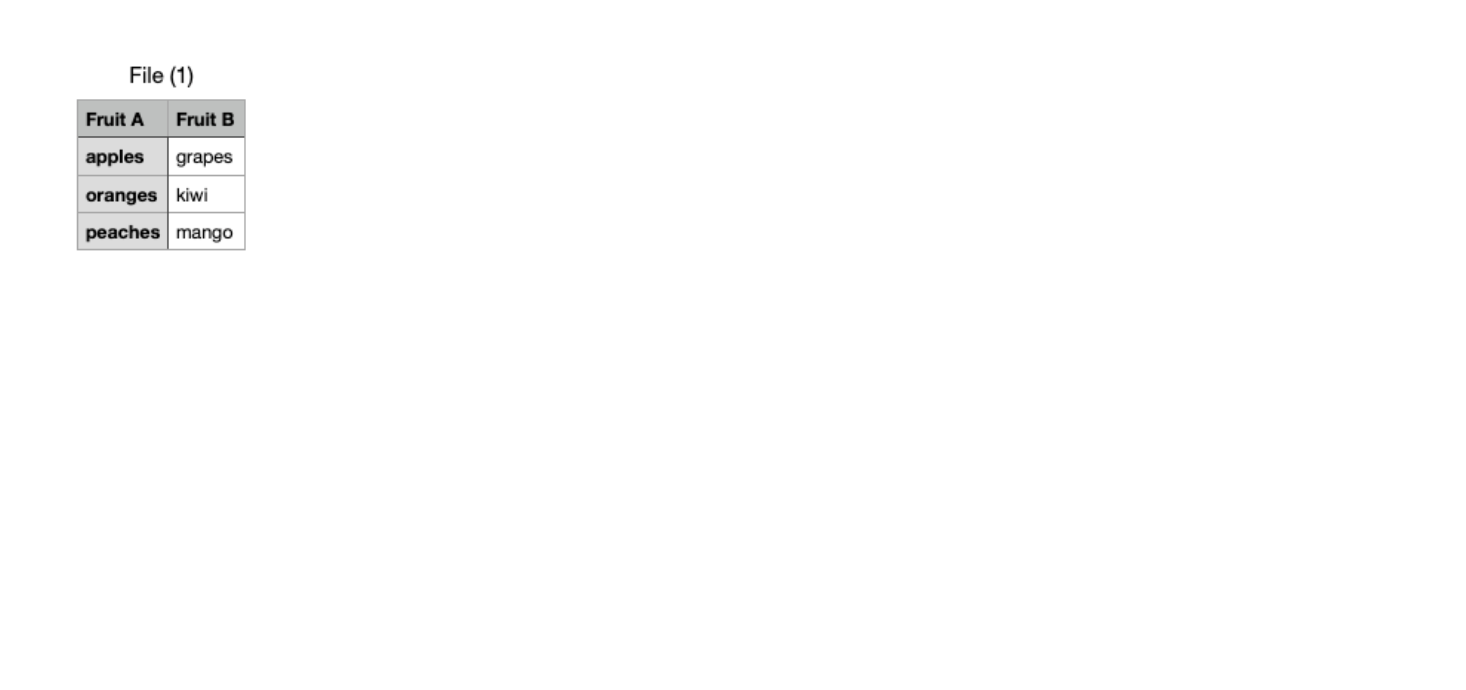 Sorted CSV File