> ## Documentation Index
> Fetch the complete documentation index at: https://docs.vectorshift.ai/llms.txt
> Use this file to discover all available pages before exploring further.
# File to Text Node
> Convert a file into text
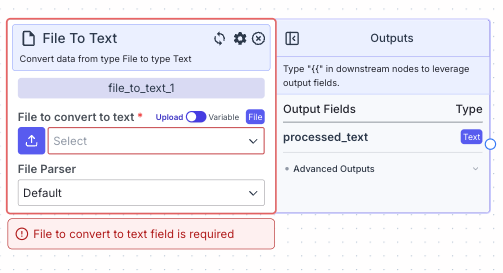 The file to text node allows you to parse text from a file.
## Node Inputs
1. File to parse: The file you want to parse text from.
* Type: `File`
For providing the file, you have two options:
1. If toggle is on Upload: Upload a file by clicking the upload button
2. If toggle is on Variable: Reference files from other nodes.
## Node Parameters
On the face of the node:
1. File Parser: The file parser you want to use to parse the inputted file. The available options are: Default (Basic OCR), Llama Parse, and Textract.
In the gear:
1. Chunk Text: Chunk the text with the below dimensions
2. Chunk Size (if Chunk Text is set to True): The size of each chunks in tokens (1 token = \~4 characters; default is 1024 tokens)
3. Chunk Overlap (if Chunk Text is set to True): The number of tokens of overlap between chunks (default is 400 tokens)
## Node Outputs
1. Processed Text: The text from the file
* Type: `Text`
* Example usage: `{{file_to_text_0.processed_text}}`
## Example
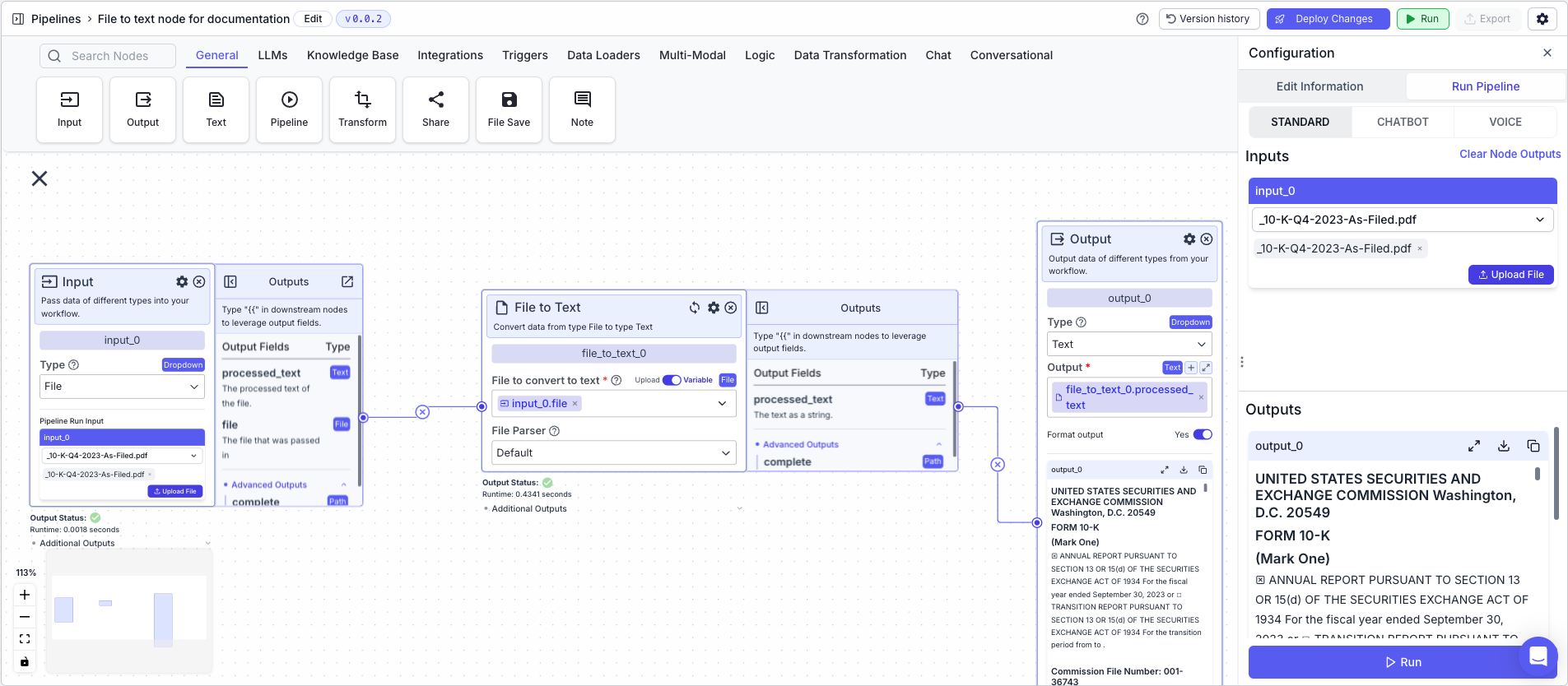
The below example shows a pipeline that takes a pdf file called `_10_K-Q4-2023-As-Filled.pdf` containing financial statements and parses the text from it.
1. Input Node: Contains the file you want to parse text from.
2. File to Text Node: Parses the text from the file.
* File to parse: `{{input_0.file}}`
3. Output: The parsed text
* Output: `{{file_to_text_0.processed_text}}`
The file to text node allows you to parse text from a file.
## Node Inputs
1. File to parse: The file you want to parse text from.
* Type: `File`
For providing the file, you have two options:
1. If toggle is on Upload: Upload a file by clicking the upload button
2. If toggle is on Variable: Reference files from other nodes.
## Node Parameters
On the face of the node:
1. File Parser: The file parser you want to use to parse the inputted file. The available options are: Default (Basic OCR), Llama Parse, and Textract.
In the gear:
1. Chunk Text: Chunk the text with the below dimensions
2. Chunk Size (if Chunk Text is set to True): The size of each chunks in tokens (1 token = \~4 characters; default is 1024 tokens)
3. Chunk Overlap (if Chunk Text is set to True): The number of tokens of overlap between chunks (default is 400 tokens)
## Node Outputs
1. Processed Text: The text from the file
* Type: `Text`
* Example usage: `{{file_to_text_0.processed_text}}`
## Example
The below example shows a pipeline that takes a pdf file called `_10_K-Q4-2023-As-Filled.pdf` containing financial statements and parses the text from it.
1. Input Node: Contains the file you want to parse text from.
2. File to Text Node: Parses the text from the file.
* File to parse: `{{input_0.file}}`
3. Output: The parsed text
* Output: `{{file_to_text_0.processed_text}}`