> ## Documentation Index
> Fetch the complete documentation index at: https://docs.vectorshift.ai/llms.txt
> Use this file to discover all available pages before exploring further.
# CSV Writer Node
> Write data to a CSV file
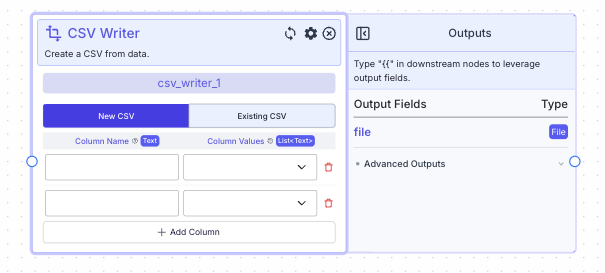 This node creates a CSV file either based on inputted lists of data or based on the structure of an existing CSV.
New Data: allows you to specify column names and column values (lists of data that will be inputted in the respective order).
Existing CSV: first, upload an existing CSV.
The node will then display the column headers and ask you to specify lists of data that you want to input for each column.
## Node Inputs
1. Column Name: The name of the column. If Existing CSV is selected, this field will automatically be filled with the column names from the CSV file.
* Type: `Text`
2. Column Value: A list of data you want to input into that column.
* Type: `List`
## Node Parameters
1. New CSV: This allows you to create a CSV from scratch.
2. Existing CSV: This creates a new CSV based on the structure of an existing CSV.
## Node Outputs
1. File: The new CSV file
* Type: `File`
* Example usage: `{{csv_writer_0.file}}`
## Example
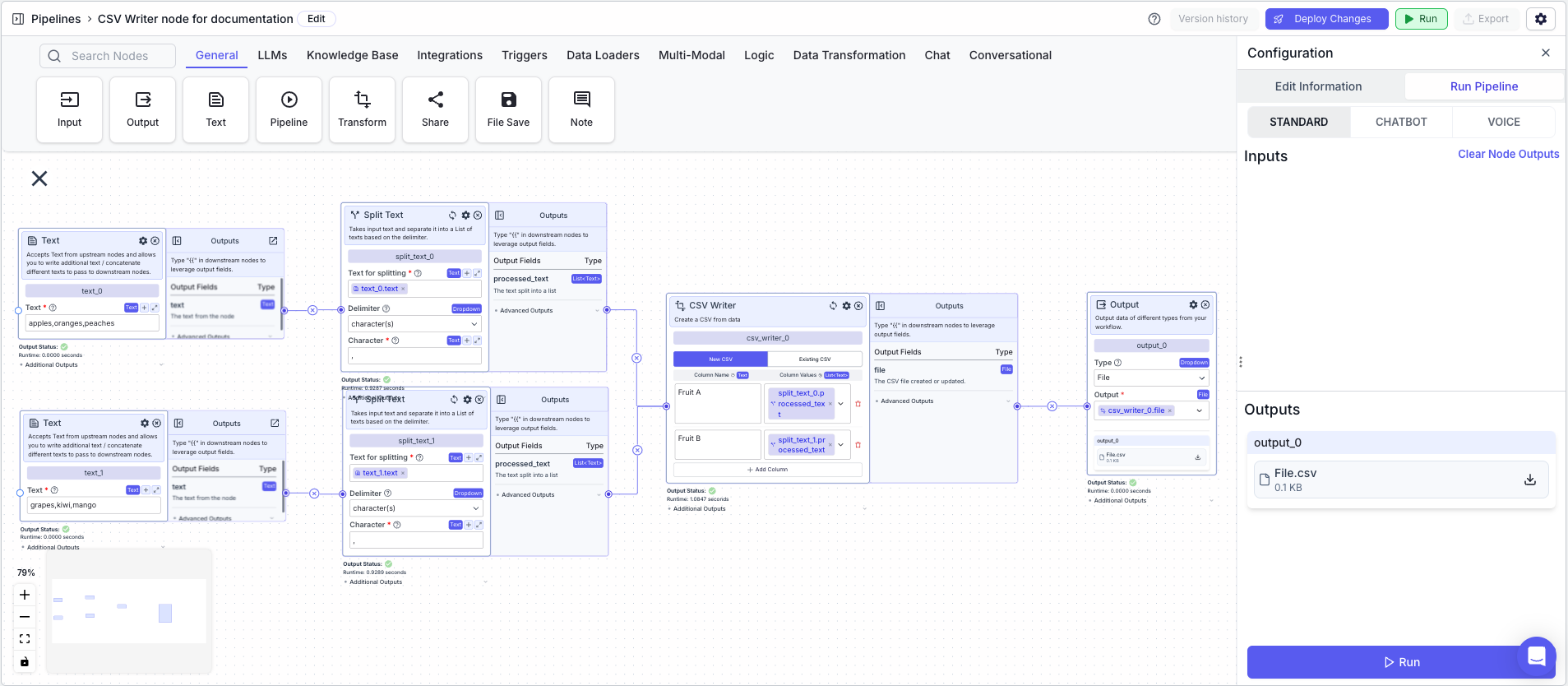
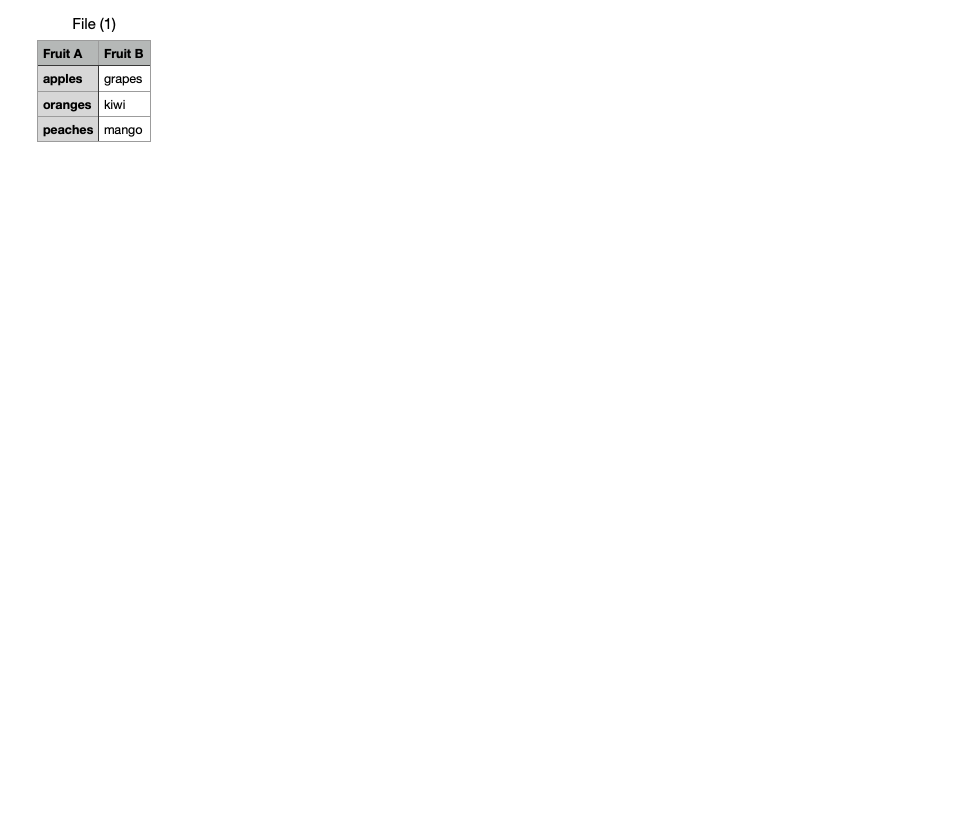
The below example shows a pipeline that takes two lists and converts them into a CSV file with two columns.
1. Text Node: Contains the following text:`apples,oranges,peaches`
2. Split Text Node: Splits the text into a list
* Text to split: `{{text_0.text}}`
* Delimiter: `Character(s)`
* Character: `,`
3. Text Node: Contains the following text:`grapes,kiwi,mangoes`
4. Split Text Node: Splits the text into a list
* Text to split: `{{text_1.text}}`
* Delimiter: `Character(s)`
* Character: `,`
5. CSV Writer Node: Creates a CSV file based on lists
* New CSV: `On`
* Column Name: `Fruits A`
* Column Value: `{{split_text_0.output}}`
* Column Name: `Fruits B`
* Column Value: `{{split_text_1.output}}`
6. Output Node: Displays the CSV file
* Output: `{{csv_writer_0.file}}`
This node creates a CSV file either based on inputted lists of data or based on the structure of an existing CSV.
New Data: allows you to specify column names and column values (lists of data that will be inputted in the respective order).
Existing CSV: first, upload an existing CSV.
The node will then display the column headers and ask you to specify lists of data that you want to input for each column.
## Node Inputs
1. Column Name: The name of the column. If Existing CSV is selected, this field will automatically be filled with the column names from the CSV file.
* Type: `Text`
2. Column Value: A list of data you want to input into that column.
* Type: `List`
## Node Parameters
1. New CSV: This allows you to create a CSV from scratch.
2. Existing CSV: This creates a new CSV based on the structure of an existing CSV.
## Node Outputs
1. File: The new CSV file
* Type: `File`
* Example usage: `{{csv_writer_0.file}}`
## Example
The below example shows a pipeline that takes two lists and converts them into a CSV file with two columns.
1. Text Node: Contains the following text:`apples,oranges,peaches`
2. Split Text Node: Splits the text into a list
* Text to split: `{{text_0.text}}`
* Delimiter: `Character(s)`
* Character: `,`
3. Text Node: Contains the following text:`grapes,kiwi,mangoes`
4. Split Text Node: Splits the text into a list
* Text to split: `{{text_1.text}}`
* Delimiter: `Character(s)`
* Character: `,`
5. CSV Writer Node: Creates a CSV file based on lists
* New CSV: `On`
* Column Name: `Fruits A`
* Column Value: `{{split_text_0.output}}`
* Column Name: `Fruits B`
* Column Value: `{{split_text_1.output}}`
6. Output Node: Displays the CSV file
* Output: `{{csv_writer_0.file}}`