> ## Documentation Index
> Fetch the complete documentation index at: https://docs.vectorshift.ai/llms.txt
> Use this file to discover all available pages before exploring further.
# CSV Reader Node
> Read a CSV file
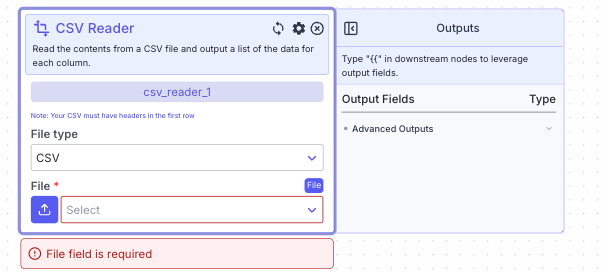 This node reads the data from a CSV/Excel file and outputs data in each column as a list.
## Node Inputs
1. File: The CSV file you want to read.
* Type: `File`
## Node Parameters
1. File Type: The type of file you want to read. The available types are: CSV and Excel. The default is CSV.
## Node Outputs
Dynamic Outputs: All the headers for columns will be treated as individual outputs with the types as `List`.
## Considerations
* For CSVs, the file must have headers in the file.
## Example
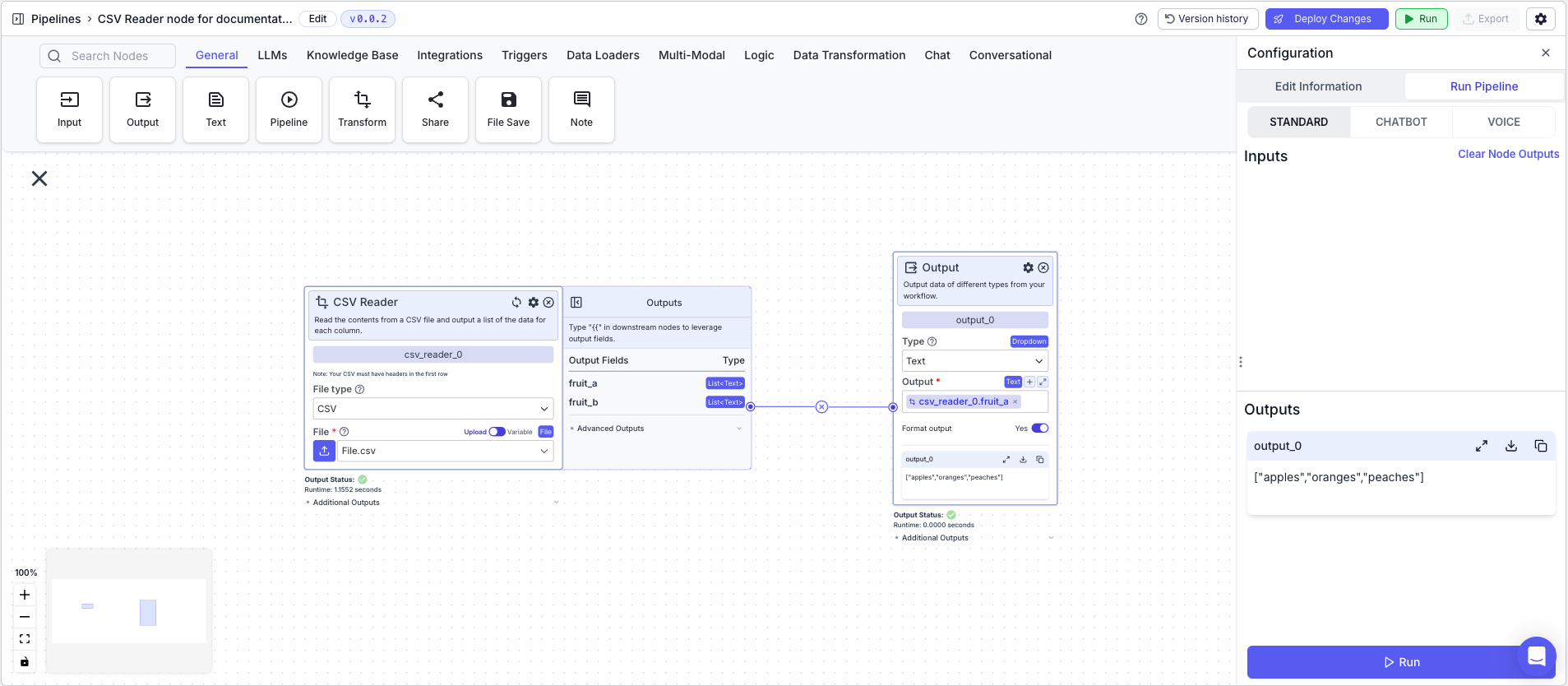
The below example shows a pipeline that takes in a CSV file and outputs the data from a column as a list.
1. CSV Reader Node: Reads the CSV file.
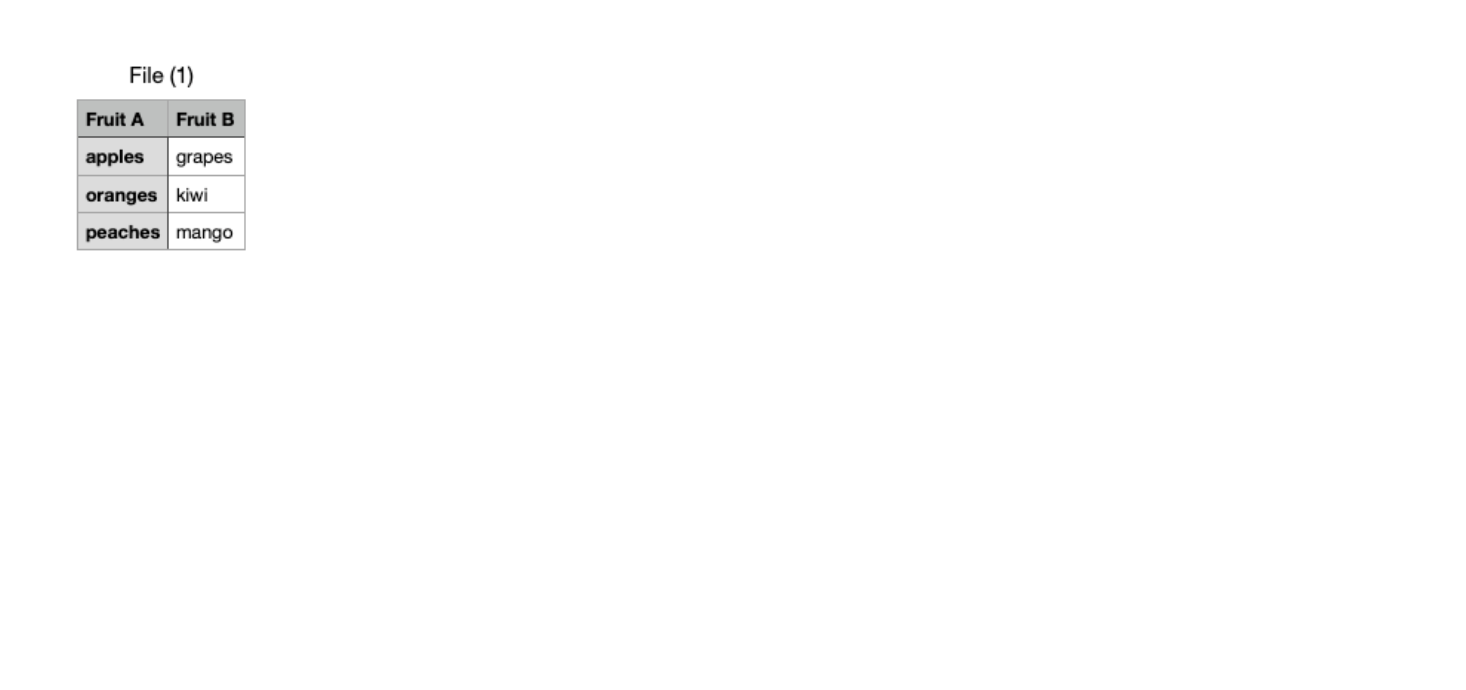
* File: `File.csv` file created in the [CSV Writer Example](/platform/pipelines/data-transformation/file/csv-writer#example)
* File Type: `CSV`
2. Output Node: Displays the data in each column as a list
* Output: `{{csv_reader_0.fruit_a}}`
This node reads the data from a CSV/Excel file and outputs data in each column as a list.
## Node Inputs
1. File: The CSV file you want to read.
* Type: `File`
## Node Parameters
1. File Type: The type of file you want to read. The available types are: CSV and Excel. The default is CSV.
## Node Outputs
Dynamic Outputs: All the headers for columns will be treated as individual outputs with the types as `List`.
## Considerations
* For CSVs, the file must have headers in the file.
## Example
The below example shows a pipeline that takes in a CSV file and outputs the data from a column as a list.
1. CSV Reader Node: Reads the CSV file.
* File: `File.csv` file created in the [CSV Writer Example](/platform/pipelines/data-transformation/file/csv-writer#example)
* File Type: `CSV`
2. Output Node: Displays the data in each column as a list
* Output: `{{csv_reader_0.fruit_a}}`
 CSV Utilized