> ## Documentation Index
> Fetch the complete documentation index at: https://docs.vectorshift.ai/llms.txt
> Use this file to discover all available pages before exploring further.
# Extract Data Node
> Extract key pieces of information from a text input
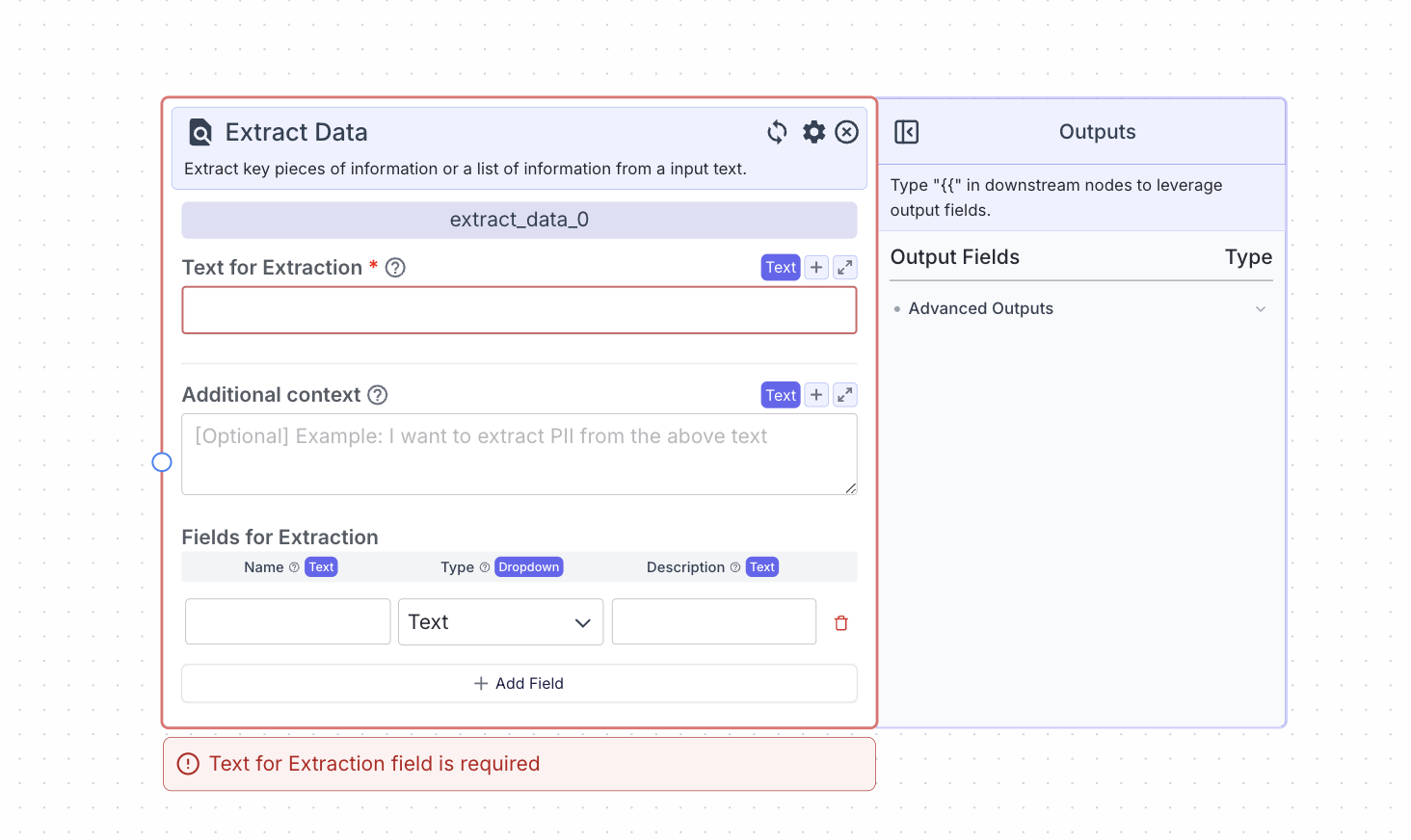 This node allows you to extract key pieces of information or list of information from the input text using AI.
## Node Inputs
1. Text for Extraction: The text that will be extracted from
* Type: `Text`
2. Additional Context: Additional information or instructions for the AI
* Type: `Text` (based on the type of list you choose)
3. Fields For Extraction: The fields to be extracted. Each field has three inputs:
* Name: The name of the field to extract
* Type: `Text`
* Type: The type of the data to extract. The types are: `Text`, `Decimal`, `Boolean`, `List`, `List`, and `List`
* Type: `Dropdown`
* Description: A description of the data to extract
* Type: `Text`
## Node Parameters
In the gear:
1. Provider: Provider of the AI model you want to use. The default provider is OpenAI.
2. Model: Model name of the AI model you want to use. The default model is gpt-4o.
## Node Outputs
Dynamic Outputs: All the fields for extraction will be treated as individual outputs with the types as defined.
## Considerations
* Click Add Field to add more fields.
* Be specific in your data descriptions for accurate outputs.
* To extract a list of text, set the type to `List`.
## Example
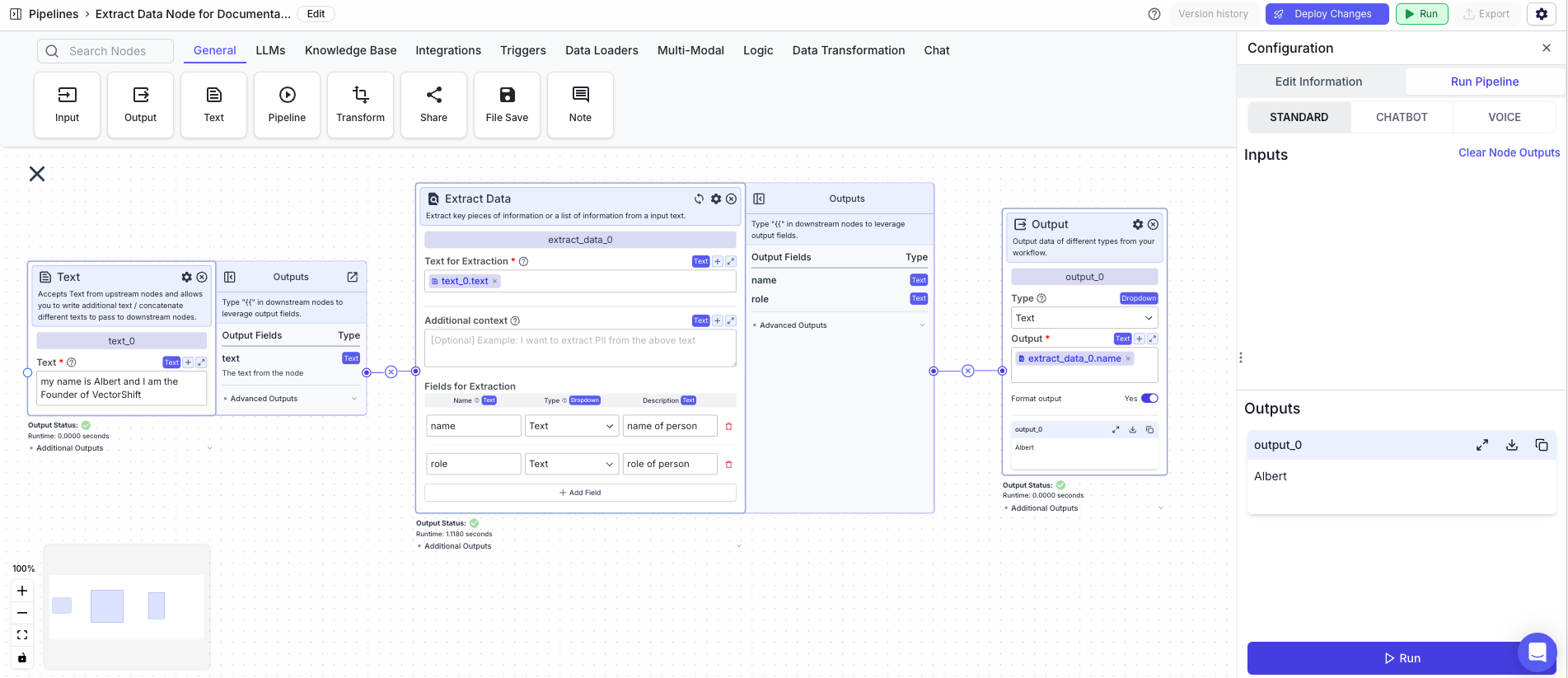
The below example is a pipeline which extracts personal details such as name and address from a given text.
* Text Node: The text for extraction
* Extract Data Node: Provide the text and specify the fields for data extraction.
* Text for extraction: `{{text_0.text}}`
* Output Node: Display the extracted field from the Extract Data Node.
* Output: `{{extract_data_0.name}}`
This node allows you to extract key pieces of information or list of information from the input text using AI.
## Node Inputs
1. Text for Extraction: The text that will be extracted from
* Type: `Text`
2. Additional Context: Additional information or instructions for the AI
* Type: `Text` (based on the type of list you choose)
3. Fields For Extraction: The fields to be extracted. Each field has three inputs:
* Name: The name of the field to extract
* Type: `Text`
* Type: The type of the data to extract. The types are: `Text`, `Decimal`, `Boolean`, `List`, `List`, and `List`
* Type: `Dropdown`
* Description: A description of the data to extract
* Type: `Text`
## Node Parameters
In the gear:
1. Provider: Provider of the AI model you want to use. The default provider is OpenAI.
2. Model: Model name of the AI model you want to use. The default model is gpt-4o.
## Node Outputs
Dynamic Outputs: All the fields for extraction will be treated as individual outputs with the types as defined.
## Considerations
* Click Add Field to add more fields.
* Be specific in your data descriptions for accurate outputs.
* To extract a list of text, set the type to `List`.
## Example
The below example is a pipeline which extracts personal details such as name and address from a given text.
* Text Node: The text for extraction
* Extract Data Node: Provide the text and specify the fields for data extraction.
* Text for extraction: `{{text_0.text}}`
* Output Node: Display the extracted field from the Extract Data Node.
* Output: `{{extract_data_0.name}}`