> ## Documentation Index
> Fetch the complete documentation index at: https://docs.vectorshift.ai/llms.txt
> Use this file to discover all available pages before exploring further.
# AI Fill PDF Node
> Fill a PDF form using AI
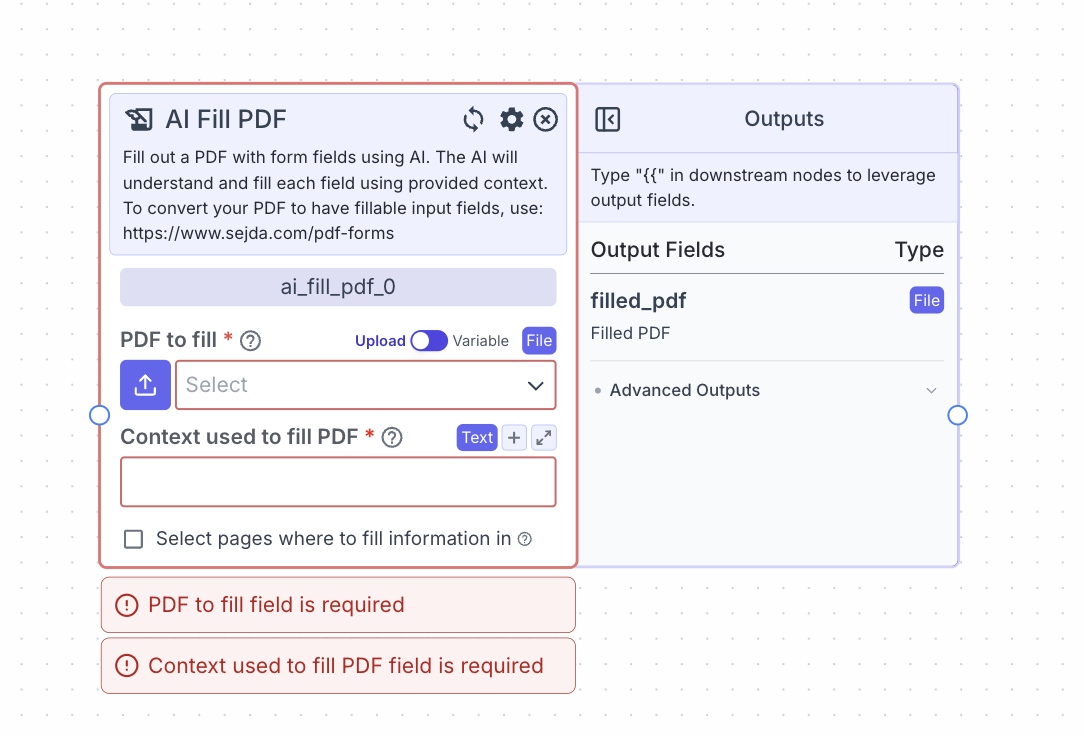 This node allows you to automatically fill PDF with form fields by the provided context using AI.
Note: the PDF must have form fields. To convert your PDF to have fillable form fields, use [https://www.sejda.com/pdf-forms](https://www.sejda.com/pdf-forms)
## Node Inputs
1. PDF to Fill: The PDF with forms fields to be filled
* Type: `File`
2. Context Used to Fill PDF: Information the AI will use for filling the form fields
* Type: `Text`
3. Selected Pages: Specific page numbers in the PDF you want the AI to fill. If nothing is inputted, the AI will attempt to fill every form field (e.g., 1-4).
* Type: `Text`
## Node Parameters
On the face of the node:
1. Select pages where to put information in: If toggled on, you will be able to input into a text field the pages you want the AI to fill out.
In the gear:
1. Provider: Provider of the AI model you want to use. The default provider is OpenAI.
2. Model: Model name of the AI model you want to use. The default model is gpt-4o.
## Node Outputs
1. Filled PDF: PDF file with completed form fields
* Type: `File`
* Example usage: `{{ai_fill_pdf_0.filled_pdf}}`
## Example
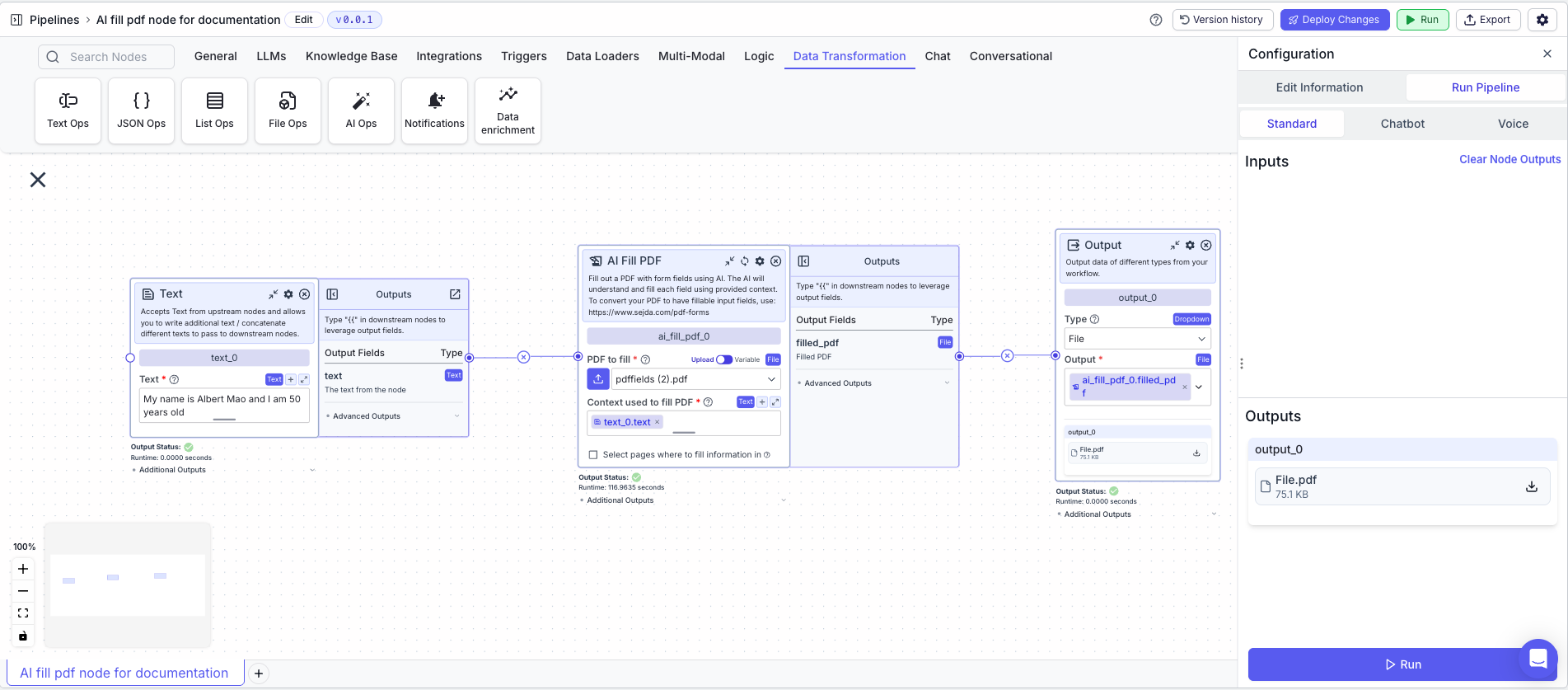
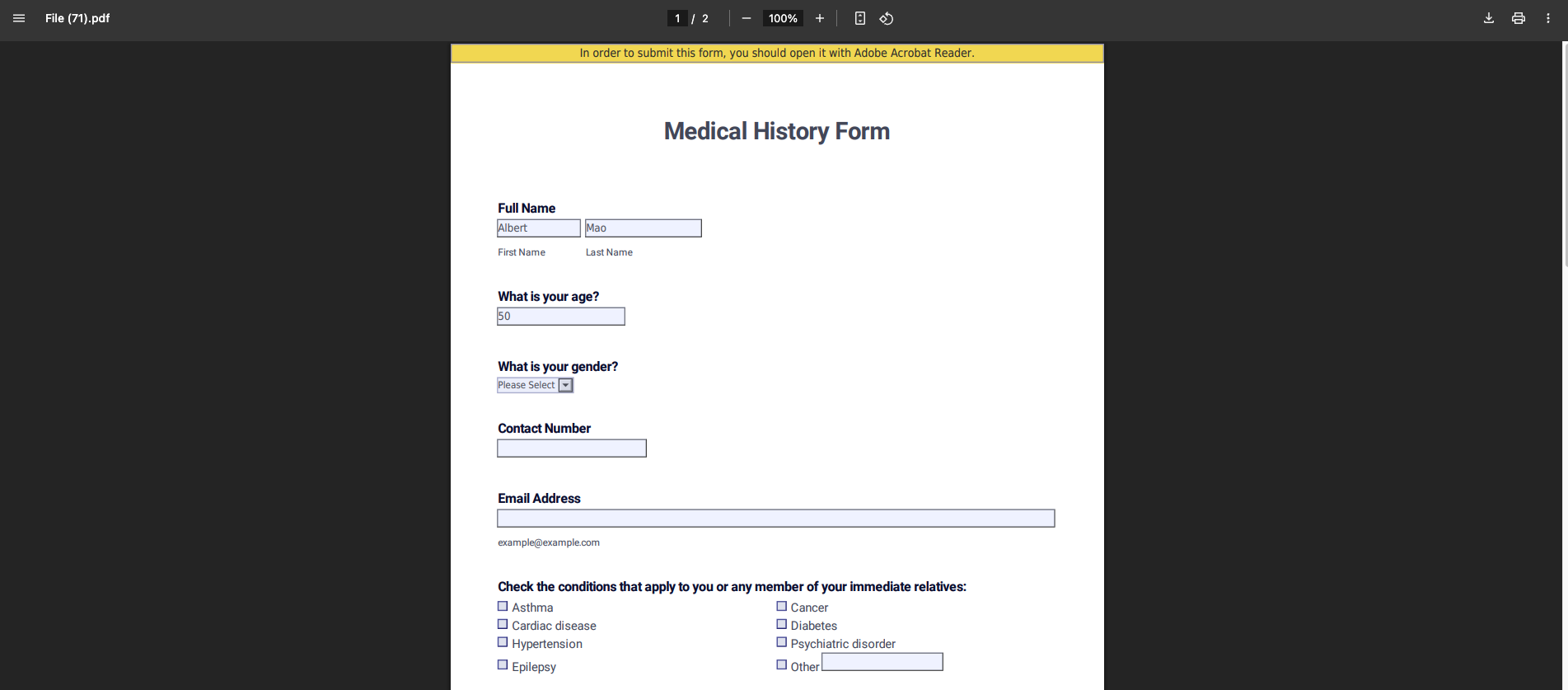
The below example is a pipeline which uses the AI to fill a PDF form (with form fields).
1. Text Node: The context to fill the form with
* Text: `My name is Albert Mao and I am 50 years old`
2. AI Fill PDF Node: Fill PDF with form fields based on Context
* PDF to fill: File with the form fields to be filled
* Context Used to Fill PDF: `{{text_0.text}}`
3. Output Node: Output the filled PDF
* Output: `{{ai_fill_pdf_0.filled_pdf}}`
This node allows you to automatically fill PDF with form fields by the provided context using AI.
Note: the PDF must have form fields. To convert your PDF to have fillable form fields, use [https://www.sejda.com/pdf-forms](https://www.sejda.com/pdf-forms)
## Node Inputs
1. PDF to Fill: The PDF with forms fields to be filled
* Type: `File`
2. Context Used to Fill PDF: Information the AI will use for filling the form fields
* Type: `Text`
3. Selected Pages: Specific page numbers in the PDF you want the AI to fill. If nothing is inputted, the AI will attempt to fill every form field (e.g., 1-4).
* Type: `Text`
## Node Parameters
On the face of the node:
1. Select pages where to put information in: If toggled on, you will be able to input into a text field the pages you want the AI to fill out.
In the gear:
1. Provider: Provider of the AI model you want to use. The default provider is OpenAI.
2. Model: Model name of the AI model you want to use. The default model is gpt-4o.
## Node Outputs
1. Filled PDF: PDF file with completed form fields
* Type: `File`
* Example usage: `{{ai_fill_pdf_0.filled_pdf}}`
## Example
The below example is a pipeline which uses the AI to fill a PDF form (with form fields).
1. Text Node: The context to fill the form with
* Text: `My name is Albert Mao and I am 50 years old`
2. AI Fill PDF Node: Fill PDF with form fields based on Context
* PDF to fill: File with the form fields to be filled
* Context Used to Fill PDF: `{{text_0.text}}`
3. Output Node: Output the filled PDF
* Output: `{{ai_fill_pdf_0.filled_pdf}}`