> ## Documentation Index
> Fetch the complete documentation index at: https://docs.vectorshift.ai/llms.txt
> Use this file to discover all available pages before exploring further.
# Google Alert RSS Reader Node
> Read data from an RSS feed
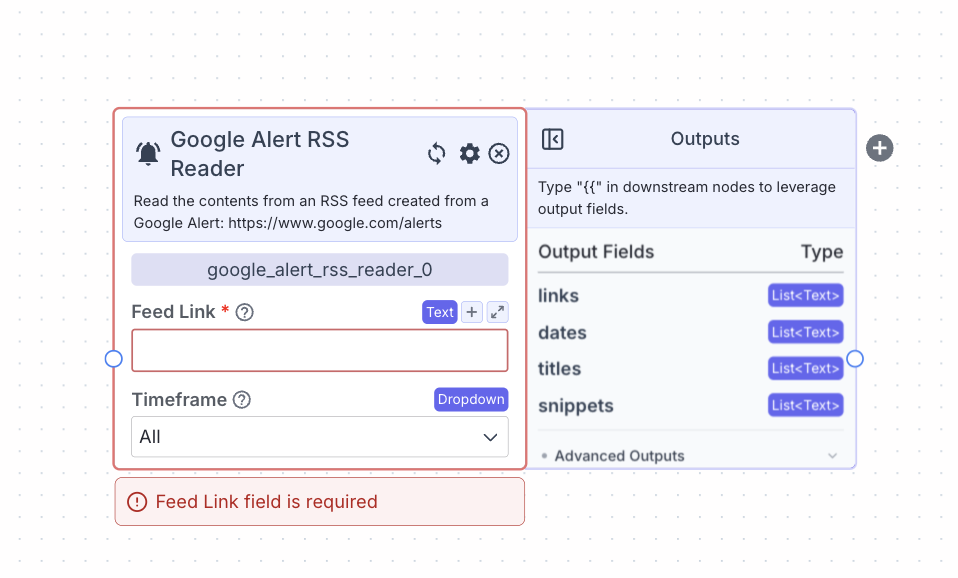 This node reads data from a RSS feed created from a Google Alerts: [https://www.google.com/alerts](https://www.google.com/alerts)
## Node Inputs
1. Feed Link: The link of the RSS feed
* Type: `Text`
## Node Parameters
1. Timeframe: The timeframe of publish dates of alerts to read. The available options are: All, Past Day, Past Week, Past Month
## Node Outputs
1. Links: A list of the links of the sites from the feed
* Type: `List`
* Example usage: `{{rss_feed_reader_0.links}}`
2. Dates: A list of publish dates of the links from the feed
* Type: `List`
* Example usage: `{{rss_feed_reader_0.dates}}`
3. Titles: A list of the titles from the feed
* Type: `List`
* Example usage: `{{rss_feed_reader_0.titles}}`
4. Snippets: A list of snippets of the links from the feed
* Type: `List`
* Example usage: `{{rss_feed_reader_0.snippets}}`
## Considerations
* Click on the “+” button on the right of the node to create and connect the node to a [semantic search node](/platform/pipelines/knowledge/semantic-search) to enable semantic search on the feed.
## Example
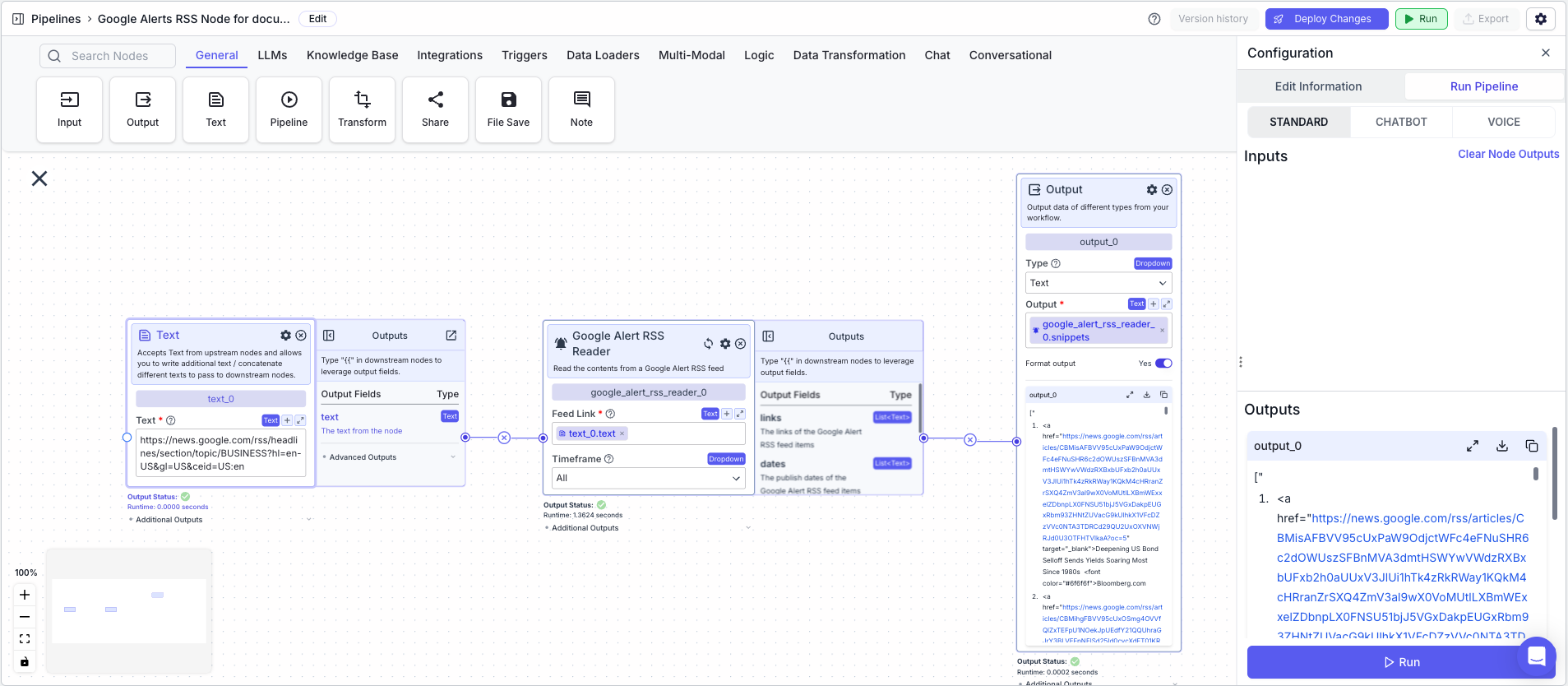
The below example shows a pipeline that returns the snippets from a Google RSS feed based on a Google Alert RSS feed link.
1. Text Node: Contains the Google Alert RSS feed link
2. Google Alert RSS Reader Node: Returns the snippets from the feed based on a Google Alerts RSS feed link
* Feed Link: `{{text_0.text}}`
* Timeframe: `All`
3. Output Node: Displays the snippets
* Output: `{{google_alert_rss_reader_0.snippets}}`
This node reads data from a RSS feed created from a Google Alerts: [https://www.google.com/alerts](https://www.google.com/alerts)
## Node Inputs
1. Feed Link: The link of the RSS feed
* Type: `Text`
## Node Parameters
1. Timeframe: The timeframe of publish dates of alerts to read. The available options are: All, Past Day, Past Week, Past Month
## Node Outputs
1. Links: A list of the links of the sites from the feed
* Type: `List`
* Example usage: `{{rss_feed_reader_0.links}}`
2. Dates: A list of publish dates of the links from the feed
* Type: `List`
* Example usage: `{{rss_feed_reader_0.dates}}`
3. Titles: A list of the titles from the feed
* Type: `List`
* Example usage: `{{rss_feed_reader_0.titles}}`
4. Snippets: A list of snippets of the links from the feed
* Type: `List`
* Example usage: `{{rss_feed_reader_0.snippets}}`
## Considerations
* Click on the “+” button on the right of the node to create and connect the node to a [semantic search node](/platform/pipelines/knowledge/semantic-search) to enable semantic search on the feed.
## Example
The below example shows a pipeline that returns the snippets from a Google RSS feed based on a Google Alert RSS feed link.
1. Text Node: Contains the Google Alert RSS feed link
2. Google Alert RSS Reader Node: Returns the snippets from the feed based on a Google Alerts RSS feed link
* Feed Link: `{{text_0.text}}`
* Timeframe: `All`
3. Output Node: Displays the snippets
* Output: `{{google_alert_rss_reader_0.snippets}}`