> ## Documentation Index
> Fetch the complete documentation index at: https://docs.vectorshift.ai/llms.txt
> Use this file to discover all available pages before exploring further.
# CSV Query Agent Node
> Agentically query a CSV
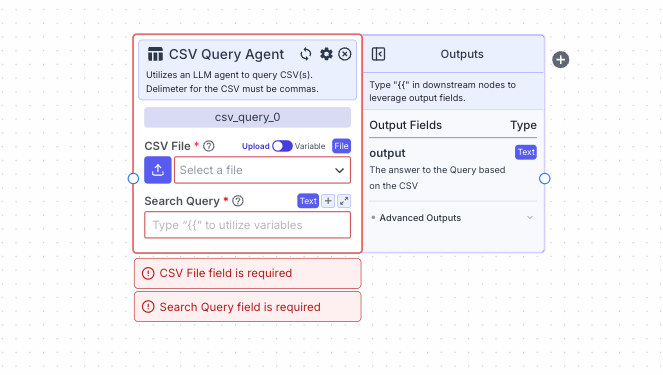 This node allows you to query a CSV based on a natural language query.
## Node Inputs
1. CSV File: The CSV file to be queried (file must be a CSV). Note: Ensure connecting node is of type File not text.
* Type: `File`
2. Search Query: The question you want to be answered by the CSV
* Type: `Text`
For providing the file you have two options:
1. If toggle is on Upload: Upload a file by clicking the upload button
2. If toggle is on Variable: Reference files from other nodes.
## Node Outputs
1. Output: The answer to the query based on the CSV
* Type: `Text`
* Example usage: `{{csv_query_0.output}}`
## Considerations
* Delimiter for the CSV must be commas.
## Example
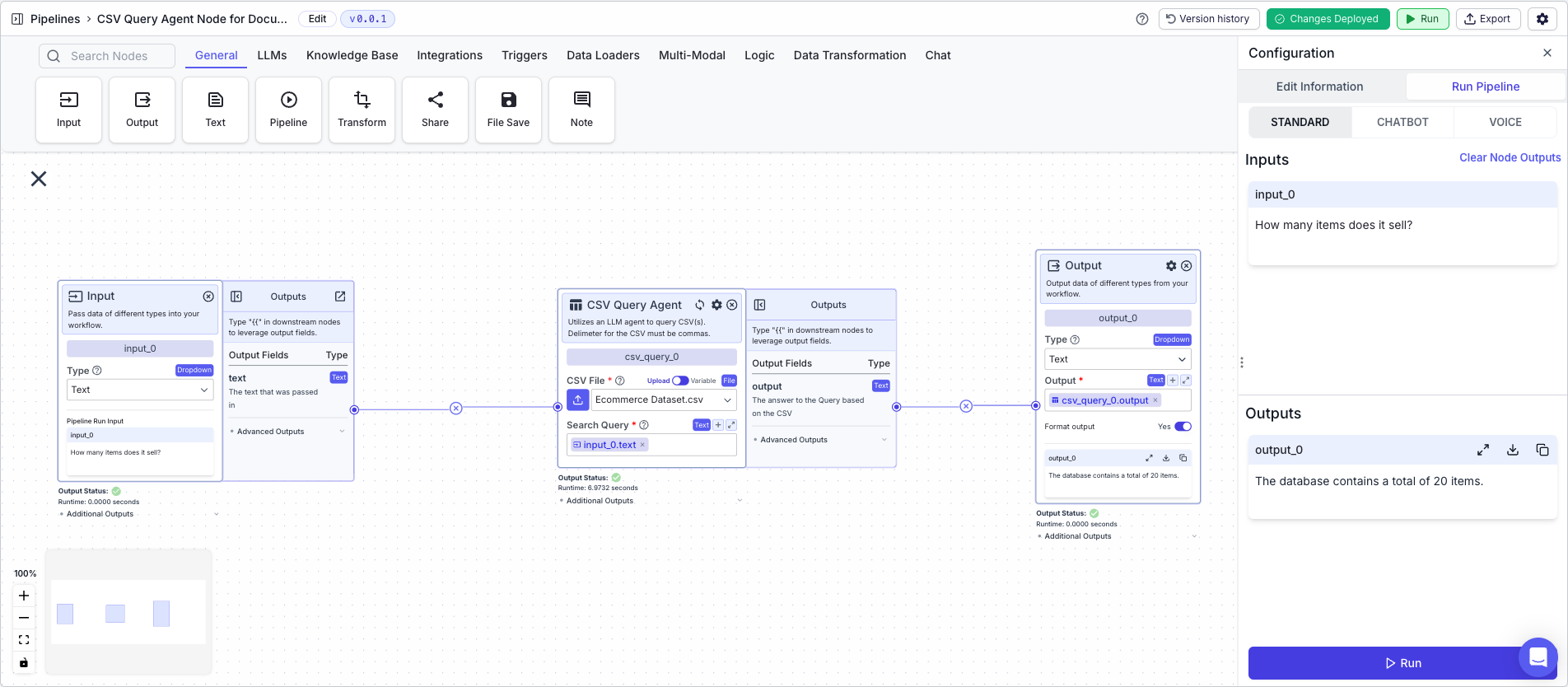
The below example shows a pipeline that takes in a CSV file containing e-commerce product data and queries the CSV for the answer based on a question (in this case: "How many items are sold?".
1. Input Node: Allows the user to ask a question. Here, "How many items are sold?"
2. CSV Query Agent Node: Queries the CSV based on the question
* Search Query: `{{input_0.text}}`
3. Output Node: Displays the answer to the question
* Output: `{{csv_query_0.output}}`
This node allows you to query a CSV based on a natural language query.
## Node Inputs
1. CSV File: The CSV file to be queried (file must be a CSV). Note: Ensure connecting node is of type File not text.
* Type: `File`
2. Search Query: The question you want to be answered by the CSV
* Type: `Text`
For providing the file you have two options:
1. If toggle is on Upload: Upload a file by clicking the upload button
2. If toggle is on Variable: Reference files from other nodes.
## Node Outputs
1. Output: The answer to the query based on the CSV
* Type: `Text`
* Example usage: `{{csv_query_0.output}}`
## Considerations
* Delimiter for the CSV must be commas.
## Example
The below example shows a pipeline that takes in a CSV file containing e-commerce product data and queries the CSV for the answer based on a question (in this case: "How many items are sold?".
1. Input Node: Allows the user to ask a question. Here, "How many items are sold?"
2. CSV Query Agent Node: Queries the CSV based on the question
* Search Query: `{{input_0.text}}`
3. Output Node: Displays the answer to the question
* Output: `{{csv_query_0.output}}`