> ## Documentation Index
> Fetch the complete documentation index at: https://docs.vectorshift.ai/llms.txt
> Use this file to discover all available pages before exploring further.
# Arxiv Loader Node
> Retrieve relevant articles from Arxiv based on a query
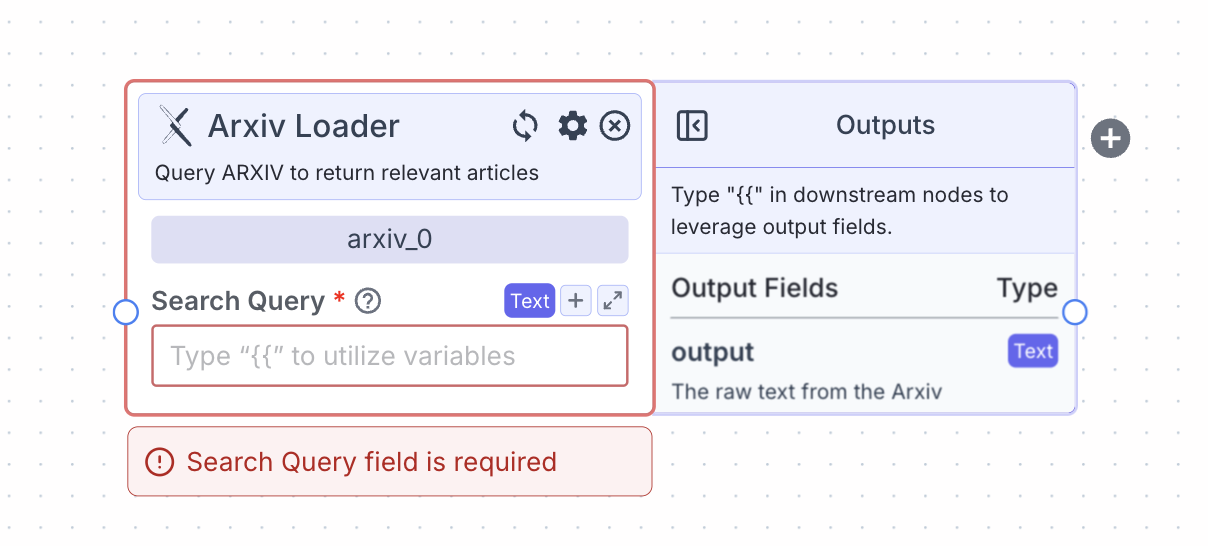 This node retrieves relevant articles from Arxiv based on a query.
## Node Inputs
1. Search Query: The query text to search Arxiv
* Type: `Text`
## Node Parameters
In the gear:
1. Chunk Text: Chunk the articles returned
2. Chunk Size (if Chunk Text is set to True): The size of each chunks in tokens (1 token = 4 characters; default is 512 tokens)
3. Chunk Overlap (if Chunk Text is set to True): The number of tokens of overlap between chunks (default is 0 tokens)
## Node Outputs
1. Output: The text from the relevant article(s)
* Type: `Text`
* Example usage: `{{arxiv_0.output}}`
## Considerations
* Click on the “+” button on the right of the node to create and connect the node to a [semantic search node](/platform/pipelines/knowledge/semantic-search) to enable semantic search on the articles.
## Example
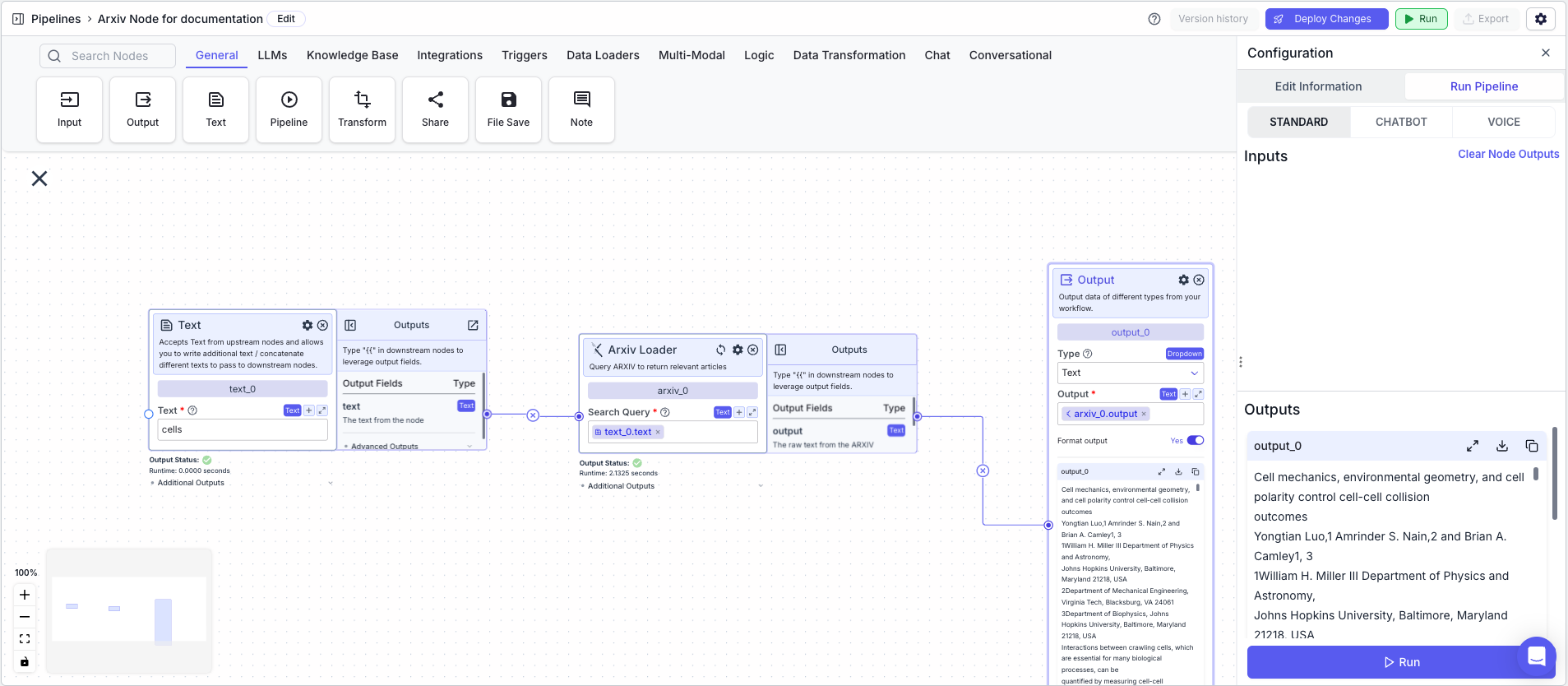
The below example shows a pipeline that returns relevant Arxiv articles based on a search query.
1. Text Node: Contains the search query
2. Arxiv Node: Returns relevant Arxiv articles based on a query
* Search Query: `{{text_0.text}}`
3. Output Node: Displays the articles
* Output: `{{arxiv_0.output}}`
This node retrieves relevant articles from Arxiv based on a query.
## Node Inputs
1. Search Query: The query text to search Arxiv
* Type: `Text`
## Node Parameters
In the gear:
1. Chunk Text: Chunk the articles returned
2. Chunk Size (if Chunk Text is set to True): The size of each chunks in tokens (1 token = 4 characters; default is 512 tokens)
3. Chunk Overlap (if Chunk Text is set to True): The number of tokens of overlap between chunks (default is 0 tokens)
## Node Outputs
1. Output: The text from the relevant article(s)
* Type: `Text`
* Example usage: `{{arxiv_0.output}}`
## Considerations
* Click on the “+” button on the right of the node to create and connect the node to a [semantic search node](/platform/pipelines/knowledge/semantic-search) to enable semantic search on the articles.
## Example
The below example shows a pipeline that returns relevant Arxiv articles based on a search query.
1. Text Node: Contains the search query
2. Arxiv Node: Returns relevant Arxiv articles based on a query
* Search Query: `{{text_0.text}}`
3. Output Node: Displays the articles
* Output: `{{arxiv_0.output}}`