> ## Documentation Index
> Fetch the complete documentation index at: https://docs.vectorshift.ai/llms.txt
> Use this file to discover all available pages before exploring further.
# Image Node
> Displays an image to the user at a given step in a conversational pipeline
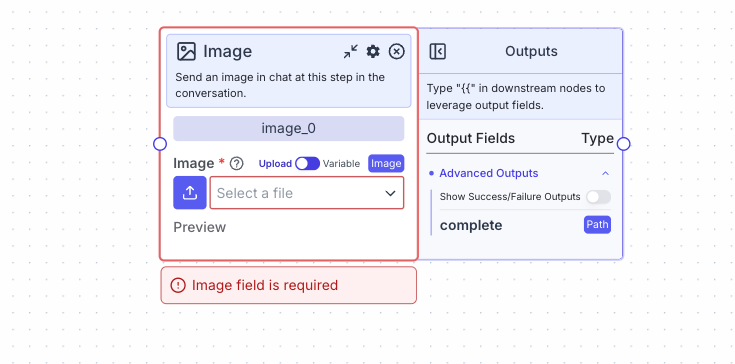 Send an image into the chat at a given step of the conversation.
You have two options for providing an image.
1. If toggle is on “Variable”, reference images from other nodes
2. If toggle is on "Upload", upload an image directly on the node
## Node Inputs
Image: The image to be sent at this step in the conversation
* Type: `Image`
## Node Parameters
The image node does not have any node parameters.
## Node Outputs
The image node does not have any node outputs but can be connected to other nodes by connecting the edge with other nodes.
## Considerations
* Avoid uploading large images as it may take some time to load during runtime.
## Example
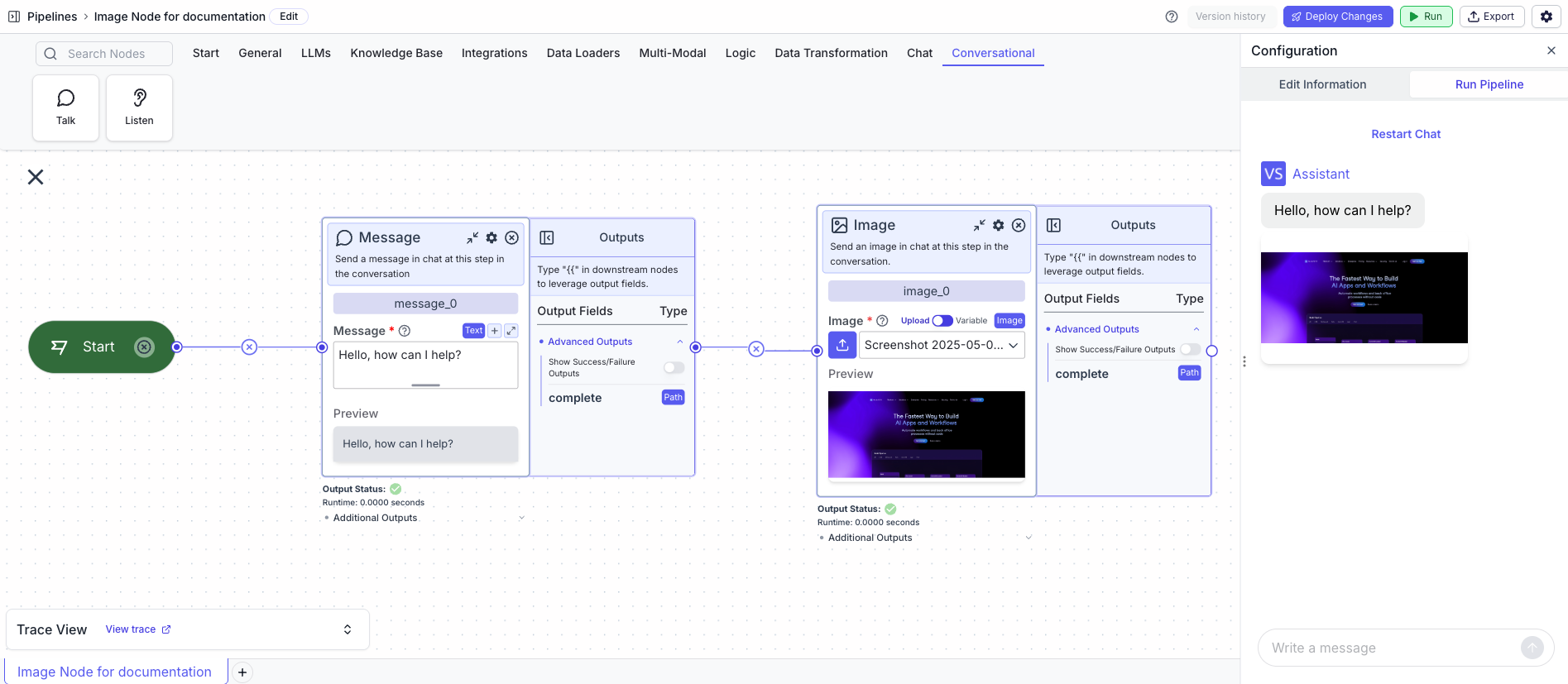
The below example is a conversational pipeline that sends both a message and an image into the chat at the beginning of the conversation.
1. Start Node: Represents the entry point of the pipeline
2. Message Node: Displays the message to the user
* Message: `Hello, how can I help?`
3. Image Node: Displays the image to the user
* Image: `[Uploaded Image]`
Send an image into the chat at a given step of the conversation.
You have two options for providing an image.
1. If toggle is on “Variable”, reference images from other nodes
2. If toggle is on "Upload", upload an image directly on the node
## Node Inputs
Image: The image to be sent at this step in the conversation
* Type: `Image`
## Node Parameters
The image node does not have any node parameters.
## Node Outputs
The image node does not have any node outputs but can be connected to other nodes by connecting the edge with other nodes.
## Considerations
* Avoid uploading large images as it may take some time to load during runtime.
## Example
The below example is a conversational pipeline that sends both a message and an image into the chat at the beginning of the conversation.
1. Start Node: Represents the entry point of the pipeline
2. Message Node: Displays the message to the user
* Message: `Hello, how can I help?`
3. Image Node: Displays the image to the user
* Image: `[Uploaded Image]`