> ## Documentation Index
> Fetch the complete documentation index at: https://docs.vectorshift.ai/llms.txt
> Use this file to discover all available pages before exploring further.
# Capture Node
> Pauses the conversation and waits for the user to respond in chat
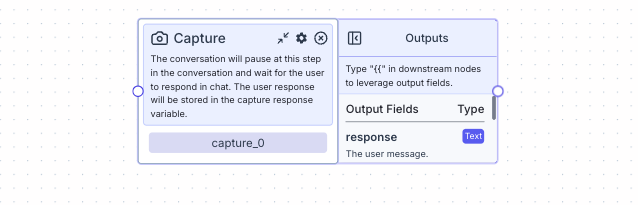 The conversation will pause at this step in the conversation and wait for the user to respond in chat. The user response will be stored in the "response" variable.
## Node Inputs
The capture node does not have any node inputs.
## Node Parameters
The capture node does not have any node parameters.
## Node Outputs
1. Response: The user message
* Type: `Text`
* Example usage: `{{capture_0.response}}`
## Considerations
* To send a message after a listen node (will send the message into the chat after the user responds), connect the listen node to a message node
## Example
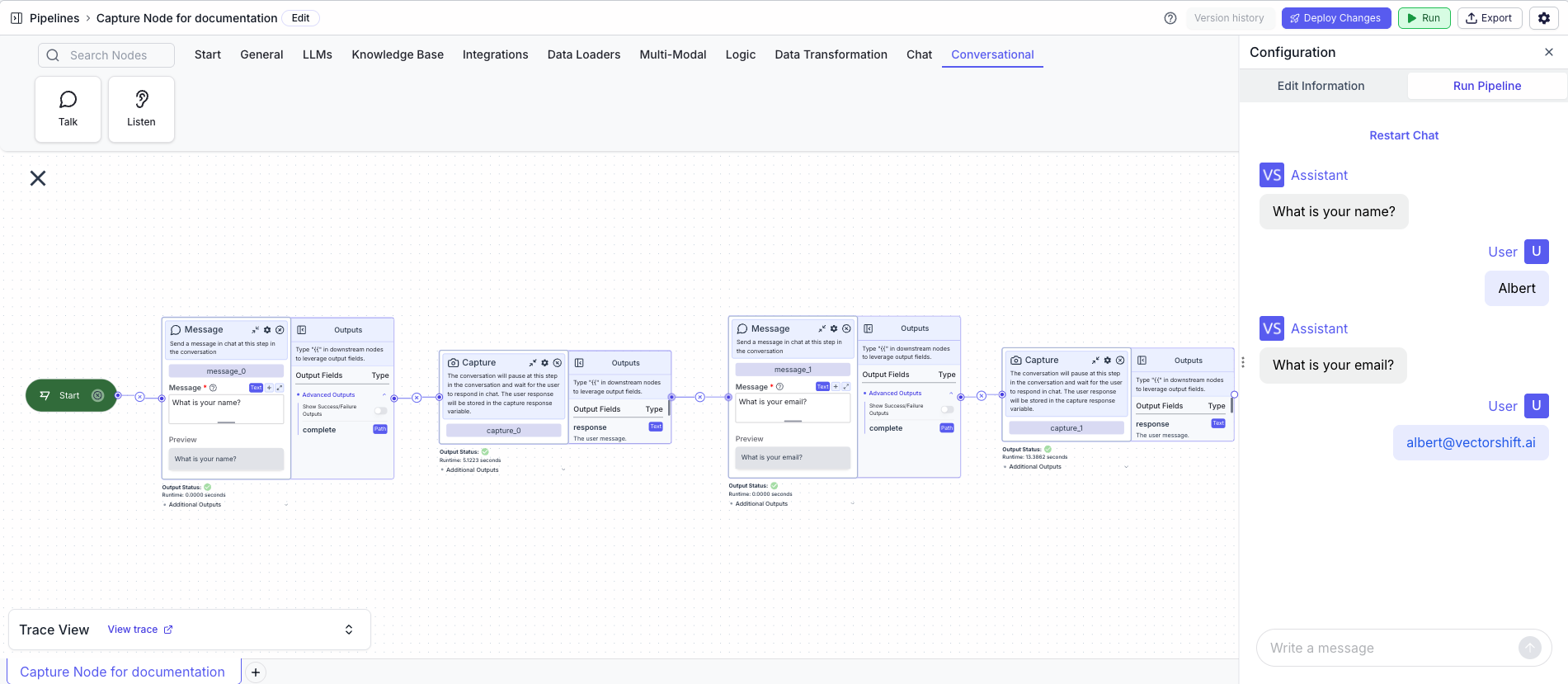
The example conversational pipeline first asks the user for their name and waits for a response. Then, it asks the user for their email, and waits for a response.
1. Start Node: Represents the entry point of the pipeline
2. Message Node: Displays the message to the user
* Message: `What is your name?`
3. Capture Node: Pauses the conversation and waits for the user to respond in chat
4. Message Node: Displays the message to the user
* Message: `What is your email?`
5. Capture Node: Pauses the conversation and waits for the user to respond in chat
The conversation will pause at this step in the conversation and wait for the user to respond in chat. The user response will be stored in the "response" variable.
## Node Inputs
The capture node does not have any node inputs.
## Node Parameters
The capture node does not have any node parameters.
## Node Outputs
1. Response: The user message
* Type: `Text`
* Example usage: `{{capture_0.response}}`
## Considerations
* To send a message after a listen node (will send the message into the chat after the user responds), connect the listen node to a message node
## Example
The example conversational pipeline first asks the user for their name and waits for a response. Then, it asks the user for their email, and waits for a response.
1. Start Node: Represents the entry point of the pipeline
2. Message Node: Displays the message to the user
* Message: `What is your name?`
3. Capture Node: Pauses the conversation and waits for the user to respond in chat
4. Message Node: Displays the message to the user
* Message: `What is your email?`
5. Capture Node: Pauses the conversation and waits for the user to respond in chat